
VisionStory
Transform images into engaging, AI generated videos.
Key Takeaways
- What it is
- Transform images into engaging, AI generated videos.
- Pricing
- Freemium · $4.99/month · $9.99/month · $29.90/month · $99.90/month
- Best for
- AI-Powered Talking Videos
- Voice Cloning
- Multilingual Support
- Rating
- 4.5/5
What is VisionStory?
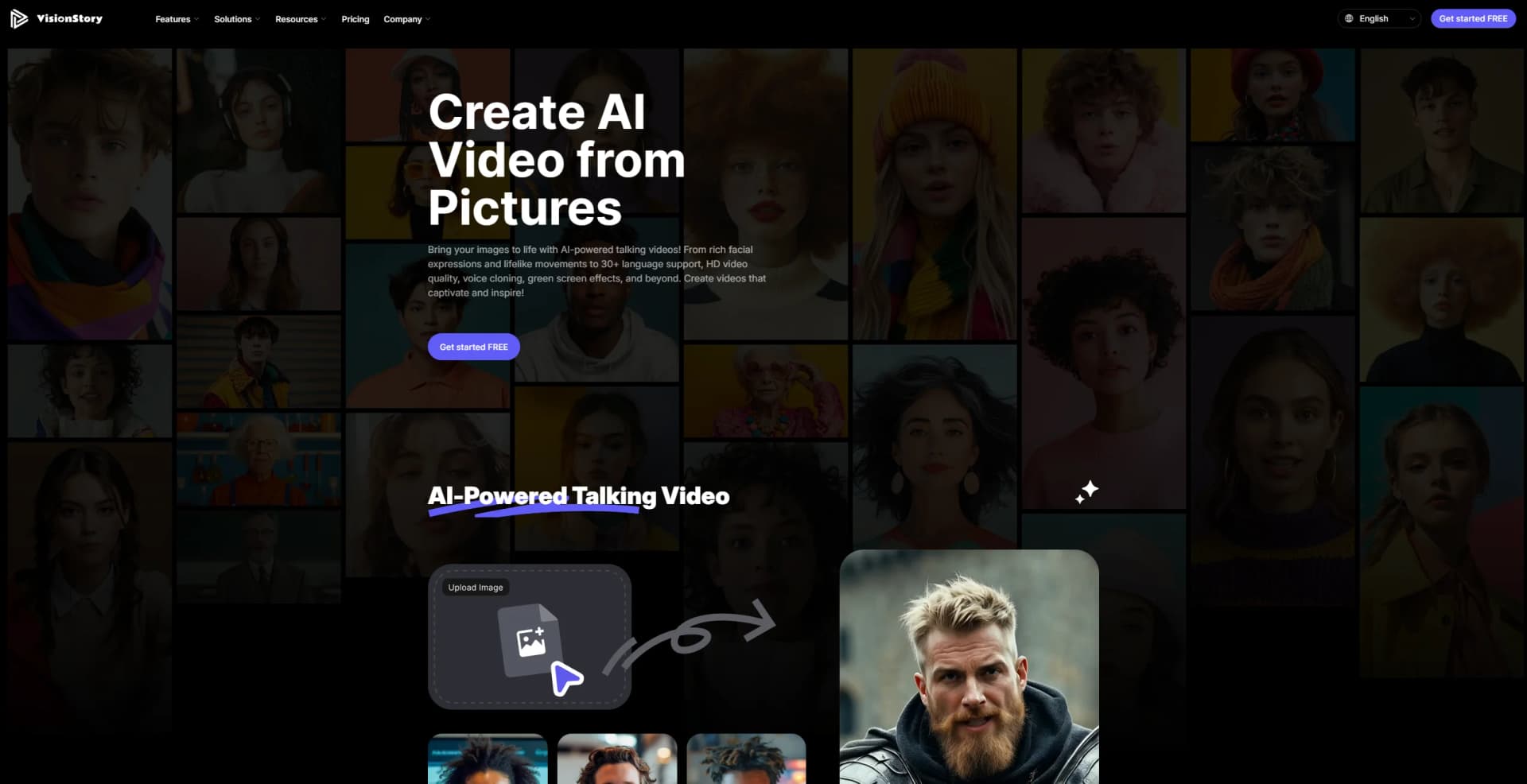
VisionStory AI is an AI-powered video creation platform that transforms static images into dynamic, talking videos. Designed for content creators, marketers, educators, and media professionals, it simplifies the video production process with advanced AI-driven features. The platform enables users to bring still images to life with lifelike facial expressions, voice cloning, and multilingual support. Recent enhancements include green screen capabilities, HD output, and upcoming video podcasting and AI-powered video live streaming, which will enable real-time interactions with AI characters.
VisionStory AI sets itself apart with its unmatched emotion control feature, allowing users to craft highly expressive, AI-driven videos. This makes it a game-changer for content creators seeking emotional impact in storytelling. Unlike competitors, VisionStory AI seamlessly blends AI, voice synthesis, and animation, making it one of the most versatile platforms in the industry.
VisionStory AI redefines how static images are transformed into high-quality, interactive video content. Its combination of voice cloning, multilingual support, and cutting-edge animation makes it a must-have for creators seeking engaging storytelling tools. With upcoming features like video podcasting and AI live streaming, it continues to push the boundaries of AI-powered video production, making it a valuable asset for content creators, marketers, educators, and beyond.
Who is Using VisionStory?
Content Creators
Enhancing storytelling with AI-generated talking videos.
Marketing Agencies
Producing engaging video advertisements to boost brand awareness.
Educators
Creating interactive learning materials for digital classrooms.
Media and Entertainment
Generating high-quality video content with minimal effort.
Uncommon Use Cases
Leveraged by digital artists for AI-generated animated artwork; used by researchers for visual data presentations.
Key Features
Rating Breakdown
Pricing Plans
Free Tier
Free
Lite Tier
$4.99/month
60 credits (~15 min), 1 min video, $0.12/credit, 1 voice clone, 3 tasks, premium voice, no watermark, commercial use.
Pro Tier
$9.99/month
120 credits (~30 min), 3 min video, $0.10/credit, 3 voice clones, 4 tasks, express queue, green screen, HD video, noise removal, voice changer.
Advanced Tier
$29.90/month
480 credits (~120 min), 10 min video, $0.08/credit, 5 voice clones, 6 tasks, express queue, green screen, HD video, noise removal, voice changer.
Ultra Tier
$99.90/month
1920 credits (~480 min), includes all Advanced features.
Which VisionStory plan should you pick?
Start with Free to test short videos; upgrade to Pro for regular creation, Advanced for longer and higher-resolution work, or Ultra for the highest volume.
Free
Good for trying core video generation with 10 credits, 30-second videos, and output up to 720p.
Pro
Good for regular creators who need 3-minute videos, premium features, voice cloning, four concurrent tasks, and no watermark.
Advanced
Good for teams needing videos up to 10 minutes, 1080p or 2K output, six concurrent tasks, and more credits.
Ultra
Good for high-volume production requiring 1,920 monthly credits, 10 concurrent tasks, and up to 50 cloned voices.
VisionStory Use Cases
Talking-avatar videos
Upload an image, add text or audio, choose a voice, and generate a lip-synced presenter video.
Outcome: A downloadable talking video with voice, expressions, and captions.
AI video agent
Provide a prompt, URL, PDF, deck, or script and let the agent plan scenes, narration, avatars, and captions.
Outcome: An editable multi-shot video draft.
Video localization
Use a locked source video to create dubbed, lip-synced editions in multiple languages.
Outcome: Per-language video masters for review and delivery.
AI presentations
Upload slides, edit scripts, and create AI-hosted presentation videos.
Outcome: A narrated presentation video.
Video podcasts
Start from audio or scripts and create an AI video podcast with speakers, shots, and characters.
Outcome: An editable video-podcast episode or set of clips.
Workflow Ideas with VisionStory
Create a talking-avatar video
- 1Upload a clear, front-facing image
- 2Enter a script or upload audio and select a voice
- 3Generate, review, and download the video
Turn a document into a training video
- 1Upload a PDF, deck, release note, or help article
- 2Use AI Video Agent to create scenes, narration, presenter, and captions
- 3Review the draft against the current product before publishing
Localize an approved campaign
- 1Start with a locked source video and approved glossary
- 2Generate dubbed, lip-synced language editions
- 3Send each edition to an in-country reviewer for approval
How VisionStory fits into your stack
Browser
VisionStory is primarily used as a web application where users upload photos, audio, PDFs, slides, or prompts and generate videos.
Knowledge and files
The product processes uploaded PowerPoint decks, PDFs, audio files, images, and reusable media assets to create presentations, podcasts, avatars, and videos.
Automation and APIs
The REST API, Python SDK, CLI, MCP server, and Agent Skill support backend, CI, shell, and AI-agent media workflows.
Pros
- +Highly Engaging Content: Transforms static images into dynamic, lifelike talking videos.
- +Customizable Voice and Language Options: Offers multilingual support and voice cloning for personalized content.
- +Professional-Grade Features: Green screen effects, HD video, and high-quality voice synthesis enhance production value.
- +Expanding Capabilities: Upcoming video podcasting and AI-powered live streaming make it a future-proof platform.
Cons
- −Initial Learning Curve: Advanced features may require time for users to master.
- −Limited Free Tier: Free plan offers minimal credits and functionality.
- −Voice Cloning Accuracy: May require fine-tuning for perfect voice replication.
Limitations & when to consider alternatives
Known limitations
- Free usage is credit-limited. The Free plan includes 10 signup credits and a weekly bonus; after free credits are exhausted, a subscription is required.
- Free videos are limited to 30 seconds. Longer durations require paid plans: up to 3 minutes on Pro and up to 10 minutes on Advanced and Ultra.
- Clear source images work best. VisionStory recommends high-resolution, front-facing images with visible shoulders and no obstructions.
- Users remain responsible for rights. VisionStory does not clear likeness, voice, footage, music, or artwork rights for users.
- Publishing remains external. VisionStory returns files but does not publish, schedule, buy media, or place content into client accounts.
Look elsewhere when
- You need native mobile apps
- You need shared workspaces with roles and invites
- You need publishing or media-buying automation
- You need fine-tuning of model weights
How to Use VisionStory
- 1
Create an account
Register to receive the Free plan's signup credits and weekly visit bonus.
- 2
Choose a creation workflow
Select talking video, AI Video Agent, presentation, podcast, image-to-video, or another VisionStory tool.
- 3
Add source material
Upload an image, audio file, slide deck, PDF, URL, script, or other supported media depending on the workflow.
- 4
Configure the output
Choose the avatar, voice, language, motion, resolution, aspect ratio, and other available settings.
- 5
Generate and review
Submit the task, review the result, and provide feedback through the video details page if the output is unsatisfactory.
- 6
Download or automate
Download finished files from Assets, or use the REST API, Python SDK, CLI, MCP, or Agent Skill for programmatic workflows.
Who is VisionStory For?
Video creators
Create talking-avatar videos, social clips, music videos, and other publishable content without filming.
Marketing teams
Produce ads, spokesperson videos, product videos, and multilingual campaign variations.
Sales teams
Turn approved sales material into personalized outbound and enablement videos.
Learning and development teams
Convert decks, documents, policies, and training material into presenter-led modules.
Agencies and media teams
Create client-ready ads, localized editions, interviews, podcasts, and production assets.
Frequently Asked Questions
How do I create a video on VisionStory?
Upload a front-facing image, enter a script or upload audio, choose a voice, and generate the video.
Is VisionStory free to try?
Registered users receive 10 free credits plus a weekly visit bonus. The Free plan supports videos up to 30 seconds.
Which languages and voices are supported?
VisionStory supports 88 languages and more than 1,000 voices, including English, Spanish, Chinese, Japanese, German, French, Portuguese, and Arabic.
How long can videos be?
Free videos can be up to 30 seconds; Pro supports up to 3 minutes, while Advanced and Ultra support up to 10 minutes.
Does VisionStory provide an API?
Yes. The API supports talking-avatar videos, avatars, voices, speech, images, AI video, assets, audio, and media understanding.
What input formats can AI Video Agent use?
AI Video Agent can start from a prompt, URL, PDF, deck, or script and produce an editable multi-shot draft.
Community reviews
Be the first to share your experience.
Sign in to leave a review for VisionStory.
VisionStory Alternatives
Looking for alternatives to VisionStory? Here are similar tools in the same category:
Learn to Master VisionStory
With Skill Leap courses
Get in-depth training on VisionStory and 50+ other AI tools with our expert-led video courses.
Start 7-Day Free Trial