
Viyou AI
Turn prompts and selfies into scroll-stopping social videos.
Key Takeaways
- What it is
- Turn prompts and selfies into scroll-stopping social videos.
- Pricing
- Freemium · $39.99 per year · $69.99 per year (discounted from $139.98 per year) · $199.99 per year (discounted from $285.70 per year)
- Best for
- Multi-model video generation
- Full AI image suite
- Template driven effects
- Rating
- 4.4/5
What is Viyou AI?
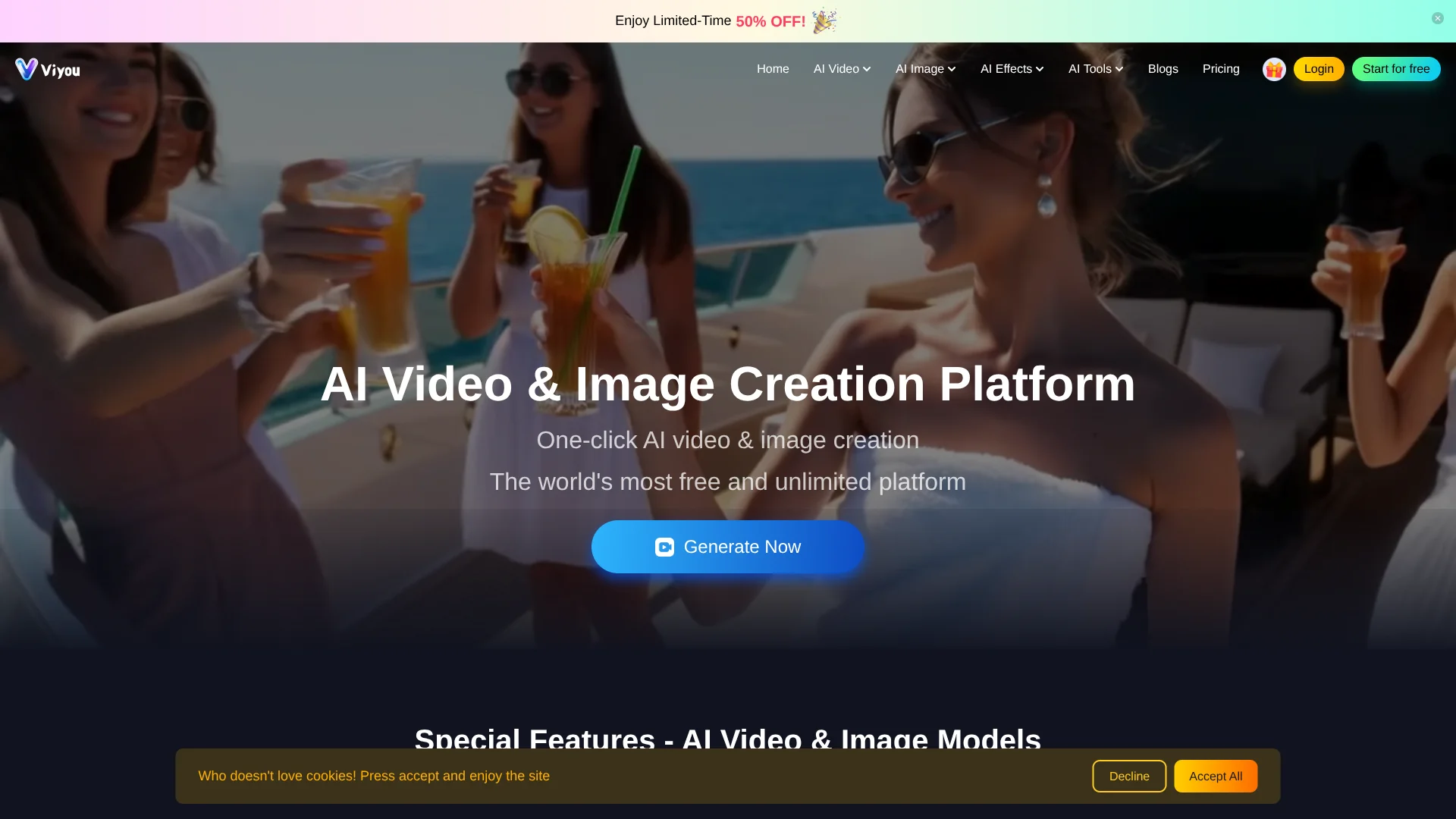
Viyou AI is an online AI video and image creation platform that turns text prompts and still photos into short clips, portraits, and stylized visuals. It focuses on social-ready content, offering multiple advanced video and image models alongside playful effect templates, so creators can move from idea to shareable content in a few clicks.
Viyou AI stands out by pulling many of the most talked-about video and image models into a single creative hub, then layering on templates tuned for internet culture. Instead of focusing only on generic text to video, it leans into dance clips, kisses, outfits, horror vignettes, greeting cards, and other meme-ready formats that mirror how short form video is actually consumed. That blend of serious multi model tech with lighthearted, social first use cases gives it a distinct identity among AI generators.
Viyou AI delivers a playful yet capable route into AI video and image generation for creators who live on social feeds. Its mix of top tier models, effect driven templates, and accessible entry point makes it well suited to experimentation, while coins and memberships offer growth paths for heavier use. Users willing to navigate a busy interface and occasional model quirks gain a lively toolkit for turning ideas and selfies into scroll stopping clips and visuals.
Who is Using Viyou AI?
Short-form Content Creators
Using Viyou AI for fast TikTok, Instagram Reels, and YouTube Shorts built from prompts or selfies.
E-commerce Brands and Sellers
Producing product showcases, outfit try on visuals, and promotional loops without hiring full video teams.
Marketing and Social Agencies
Testing multiple creative directions for ad hooks, festive greetings, or influencer style edits at scale.
Solo Creators and Cosplayers
Turning reference photos into character videos, posters, and stylized portraits for fan content and personal branding.
Uncommon Use Cases
Utilized by language teachers to create visual prompts and mini stories; adopted by indie game and TTRPG makers to visualize characters, spells, and environments.
Key Features
Rating Breakdown
Pricing Plans
Free Tier
Free
- Users can create an account and start using the editor for free
- Actual generation quotas and models depending on region and membership status
Lite
$39.99 per year
- 4,000 coins per year, 1.0× generation speed, HD output, access to selected image and video models, all image features (30% off), and all video features (30% off)
Pro
$69.99 per year (discounted from $139.98 per year)
- 8,000 coins per year, 1.5× generation speed, HD output, access to selected image and video models, all image features (50% off), all video features (50% off), and dedicated support
Max
$199.99 per year (discounted from $285.70 per year)
- 35,000 coins per year, 2.0× generation speed, HD output, access to selected image and video models, all image features free, all video features (70% off), and dedicated support
Which Viyou AI plan should you pick?
Start with Starter to test free image and video generation; upgrade to Lite, Pro, or Max when you need more models, faster generation, higher concurrency, and larger discounts.
Starter
Good for new users who need free access to basic AI image and video generation with 200 lifetime coins.
Lite
Good for hobbyists who need more models, HD output, and discounted generation.
Pro
Good for regular creators who need faster generation, deeper discounts, and up to 10 concurrent tasks.
Max
Good for high-volume creators who need the largest model selection, fastest listed generation speed, and up to 20 concurrent tasks.
Viyou AI Use Cases
Convert photos into videos
Upload one or more photos, choose a model, add a prompt, and generate a cinematic or motion-based video.
Outcome: A dynamic video created from still images.
Transform images into new styles
Upload a photo or sketch, select a model and style, then use a text prompt to rework the image.
Outcome: A transformed visual that preserves elements of the original image.
Edit existing videos
Upload a video, optionally add reference images, describe the requested changes, and generate an edited result.
Outcome: An AI-edited video with modified elements or styling.
Create social and marketing visuals
Use text-to-image, image-to-image, templates, and specialized visual effects for promotional content.
Outcome: Ready-to-use images or video assets for digital content.
Extend video clips
Submit an existing clip to the AI Video Extender to add frames and increase its length.
Outcome: A longer clip intended to preserve the original visual quality.
Workflow Ideas with Viyou AI
Image-to-image redesign
- 1Upload a photo or sketch to the image-to-image editor.
- 2Select a model and describe the desired style or changes.
- 3Generate and compare transformed versions.
Photo-to-video social clip
- 1Upload one or more reference photos.
- 2Choose an image-to-video model and enter a motion or scene prompt.
- 3Generate the clip and export the result.
AI video editing
- 1Upload a 6–20 second video.
- 2Optionally add one to three reference images and describe the edit.
- 3Generate the revised video and refine the result.
How Viyou AI fits into your stack
Browser
Viyou is a browser-based creative platform for generating and editing AI videos and images from text or uploaded photos.
Knowledge and files
Users upload photos as inputs for image-to-video and image-to-image creation workflows.
Mobile
Viyou also operates as a dedicated iPhone and Android creative-generation app for photo-to-video, AI images, portraits, and templates.
Pros
- +Large model catalog: Combines several leading video and image models inside one editor, so users can test styles without juggling multiple accounts.
- +Strong social focus: Short vertical formats, viral effect templates, and playful tools suit TikTok, Reels, and Shorts creators who need constant fresh content.
- +Low barrier to entry: Browser based workflow, simple prompts, and photo uploads let non editors generate videos in a few steps.
- +Generous free access tone: Positioning as a heavily free service, plus coins and referrals, can reduce early experimentation costs compared with many rivals.
- +Fun experimentation: Quirky tools such as custom kisses or AI outfits encourage creative play, which can spark unexpected content ideas.
Cons
- −Busy interface: The number of models, templates, and effect types can feel overwhelming until users learn which options fit their goals.
- −Model consistency: Output quality, motion realism, and safety filters vary between underlying models, so results are not always predictable from prompt to prompt.
- −Credit and membership complexity: Coins, memberships, and model specific costs may be confusing for new users who prefer simple flat pricing.
Limitations & when to consider alternatives
Known limitations
- Video editor input duration. The AI Video Editor requires an uploaded video with a duration of 6–20 seconds.
- Model availability varies. Available models depend on the user's region, membership tier, and content policy.
- Generation failures and delays. High traffic, complex prompts, and content filters can cause generation failures or longer processing times.
- Input rights remain the user's responsibility. Commercial use requires the user to own the rights to submitted input content and avoid copyrighted or restricted materials.
- Some models lack audio generation. Viyou 3.0 is described as cost-effective but does not support audio generation.
Look elsewhere when
- You need a documented developer API.
- You need a native desktop editor.
- You need team workspaces with roles and invitations.
How to Use Viyou AI
- 1
Choose a creation mode
Open Viyou's text-to-image, image-to-image, text-to-video, image-to-video, or video-editor tool based on the asset you want to create.
- 2
Add your input
Enter a prompt and upload a photo, image, or video when the selected workflow supports reference files.
- 3
Select a model
Choose from the models shown in the selected tool; availability may vary by region, plan, and content policy.
- 4
Generate or edit
Click Create to generate the asset or apply the requested video/image transformation.
- 5
Iterate and refine
Adjust the prompt, model, duration, or quality settings and generate another version when the result needs refinement.
- 6
Upgrade if needed
Use the Starter plan for free exploration, then upgrade to Lite, Pro, or Max for more models, speed, concurrency, and discounts.
Who is Viyou AI For?
Content creators and YouTubers
Viyou supports short-form and cinematic video creation from text, images, and templates.
IP fan artists
Viyou provides image-to-image transformation, character-oriented image creation, and video generation workflows.
Marketing and brand teams
Viyou offers commercial-oriented image, video, template, and visual-generation tools.
Short-form video operators
Viyou provides video templates, image-to-video generation, video extension, and motion-oriented tools.
Independent creators
The browser-based editor provides cloud processing without requiring expensive local hardware.
Frequently Asked Questions
What is Viyou and what can I create with it?
Viyou is an all-in-one AI creative hub for transforming photos, generating cinematic clips, extending videos, and using specialized creative tools.
Which AI models can I use?
Viyou connects to multiple models, including Seedream, Nano Banana, Hailuo02, and Kling. Available models depend on region, membership tier, and content policy.
Can I use Viyou for free?
Yes. Viyou offers a free Starter plan and free image-to-image and video-editor experiences.
What are Coins?
Coins are credits used for image and video generation. Membership reduces the cost per generation.
Can I use my creations commercially?
Yes, provided that you own the rights to the input content and do not use copyrighted or restricted materials.
Why did my generation fail or take long?
Failures or delays may result from high traffic, complex prompts, or content filters. Pro and Max members receive faster priority.
Community reviews
Be the first to share your experience.
Sign in to leave a review for Viyou AI.
Viyou AI Alternatives
Looking for alternatives to Viyou AI? Here are similar tools in the same category:
Learn to Master Viyou AI
With Skill Leap courses
Get in-depth training on Viyou AI and 50+ other AI tools with our expert-led video courses.
Start 7-Day Free Trial