
Vsub
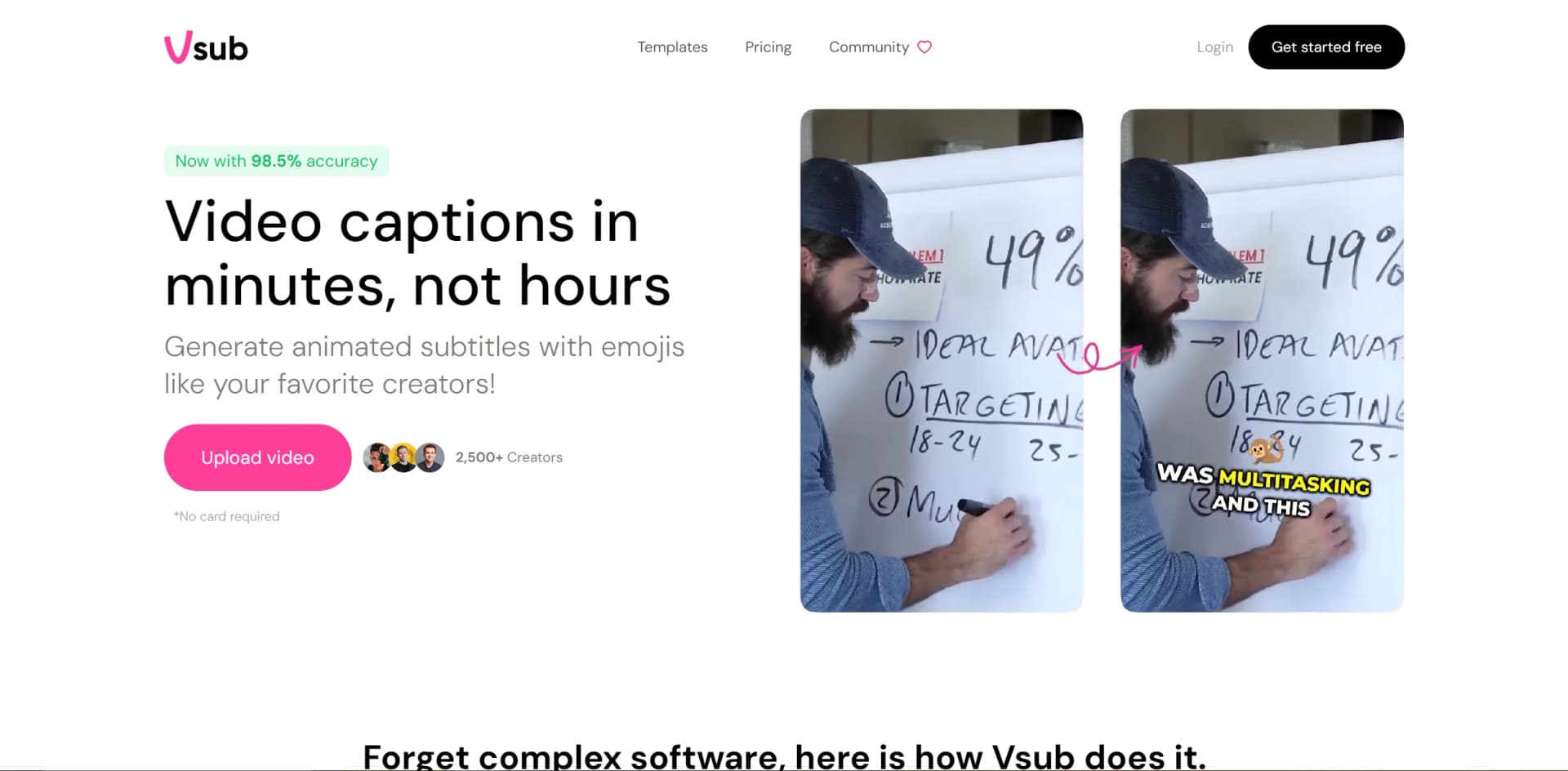
Revolutionize video creation with AI voices, auto-captioning, and cross-platform sharing.
Key Takeaways
- What it is
- Revolutionize video creation with AI voices, auto-captioning, and cross-platform sharing.
- Best for
- Auto Captioning with Animated Emojis
- AI Voice Generation
- Cross-Platform Compatibility
- Rating
- 4.3/5
What is Vsub?
Vsub is an innovative AI tool designed to revolutionize the video content creation process. It specializes in swiftly generating faceless channel content, carving a unique niche in the video production landscape. Targeting content creators, particularly those focusing on social media platforms like Reddit where storytelling is paramount, Vsub automates video creation while maintaining quality.
Vsub's focus on creating faceless, narrative-driven content sets it apart, especially for platforms like Reddit. The blend of AI voice generation and auto-captioning with animated emojis offers a unique solution tailored to the trend of anonymous storytelling.
Vsub excels in streamlining video production for creators and marketers focusing on narrative-driven content. Its innovative features like auto-captioning and AI voice generation provide a unique solution for rapid content creation. While its target audience may be specific, its value in terms of time-saving and cost-efficiency makes it an attractive option for producing high-quality, faceless videos at scale.
Who is Using Vsub?
Content Creators
Individuals creating and monetizing faceless narrative content with minimal effort.
Social Media Influencers
Leveraging the tool for rapid content creation to maintain their online presence.
Video Marketers
Using Vsub to produce engaging promotional or educational content for their campaigns.
Reddit Community Managers
Creating content for brand communities or subreddit channels.
Uncommon Use Cases
Podcasters creating supplemental video content; Educators incorporating AI-generated videos into teaching materials.
Key Features
Rating Breakdown
Pricing Plans
Free Trial
- Start with a free trial to test Vsub's features
Lifetime Access
- One-time purchase for lifetime access to unlimited video creation
- Limited to a certain number of licenses
Which Vsub plan should you pick?
Start with the free workspace for testing, choose Premium for regular solo production, and upgrade to Premium+ when you need higher weekly capacity.
Free
Good for testing the workspace and API; rendering requires a paid plan.
Premium
Good for creators needing up to 25,000 monthly credits, 30-minute exports, and team collaboration.
Premium+
Good for higher-volume creators needing 55,000 monthly credits and greater weekly video capacity.
Vsub Use Cases
Create faceless videos
Paste a narration script, select a template, and generate illustrated scenes with voiceover.
Outcome: A completed narrated video for a faceless channel.
Clone a channel visual style
Upload a reference video of still images with spoken narration to create a reusable custom template.
Outcome: Videos that follow the uploaded reference style.
Generate fake-text videos
Provide a conversation and render it as an iPhone, WhatsApp, Instagram, Tinder, or Cantina chat.
Outcome: A narrated chat-style video.
Create quiz videos
Submit questions, answers, comments, language, voice, and visual style.
Outcome: A narrated quiz video with timed questions and answers.
Automate video creation through code
Call Vsub video endpoints or use the MCP server to submit scripts, templates, and rendering options.
Outcome: Programmatically generated video projects or MP4 exports.
Workflow Ideas with Vsub
Create and monitor an AI video
- 1Upload or select a template and submit a script
- 2Call the AI video creation endpoint
- 3Poll video status or receive a completion webhook
- 4Render and download the finished MP4
Create a custom visual template
- 1Upload a reference video
- 2Create an art style from the uploaded footage
- 3Use the resulting style when creating an AI video
Connect an AI assistant to Vsub
- 1Add Vsub's MCP endpoint to Claude, ChatGPT, Cursor, or another MCP client
- 2Approve a Vsub workspace
- 3Ask the assistant to create and render a video
How Vsub fits into your stack
Social Media Integration
Optimized output for sharing across various social media platforms.
Community Support
Access to a creator community through Discord for tips and updates.
Continuous Updates
Regular updates with new features based on user feedback and market trends.
Online Accessibility
Accessible from any web-enabled device, allowing creators to work remotely.
Pros
- +Time-Saving: Drastically reduces video editing time, enabling creators to produce content 10x faster.
- +Unlimited Video Creation: Lifetime access for unlimited video creation, ensuring long-term cost-effectiveness.
- +User-Friendly: Simplifies the video production workflow, making it accessible even for users with limited editing experience.
- +Community Engagement: Offers a Discord server for users to stay updated and engaged with the latest developments.
Cons
- −Niche Specific: Primarily tailored for creating faceless, narrative-driven content, which may not suit all video creation needs.
- −Learning Curve: New users may require time to fully utilize the suite of automation tools.
- −Limited Customization: Some creators might find the customization options for AI voices and animations less extensive than desired.
Limitations & when to consider alternatives
Known limitations
- Reference videos need a minimum length. A reference video used for template creation must run at least 30 seconds; around three minutes is recommended.
- Script length varies by video type. AI Video V2 supports up to 10,000 characters, while V3 supports up to 30,000 characters for landscape and 4,000 for portrait.
- Video length is plan-limited. The finished video must fit the maximum length allowed by the selected plan.
- Rendering requires paid credits on cloud plans. Cloud rendering requires a paid plan and credits; BYOK workspaces use a cash balance instead.
- Uploaded files can expire. File keys follow the storage rules of the selected plan and may stop resolving after the plan's expiration period.
Look elsewhere when
- You need a native mobile app.
- You need SSO or SAML.
- You need a browser extension or desktop installer.
- You need image analysis or vision understanding.
How to Use Vsub
- 1
Vsub provides resources, including tutorial videos and community support channels, to help users maximize their video creation experience.
Who is Vsub For?
Faceless channel creators
Vsub is positioned as an all-in-one solution for creating faceless-channel videos.
AI video creators
Creators can turn scripts into narrated, illustrated videos using templates and automated scene generation.
Content creators with an established visual style
They can upload a reference video and create a reusable template matching that style.
Developers and AI-agent users
They can create videos programmatically through the API or by connecting Claude, ChatGPT, Cursor, or another MCP client.
Frequently Asked Questions
Do I have to make my own template first?
No. Published templates are ready to use, while custom template cloning is optional.
What makes a good reference video for a template?
A video of still images with spoken narration works best. It must be at least 30 seconds, with around three minutes recommended.
Can I use my own voice instead of a generated one?
Yes. Upload a recording and Vsub uses it as the narration while transcribing the script.
How long can the script be?
Scripts can contain up to 30,000 characters, subject to the maximum video length of the selected plan.
What happens if a video fails halfway through?
Retry resumes from the failed step, preserving completed voiceover, scenes, and images without charging for them again.
Can I create videos from my own code?
Yes. Send a script and template to the AI video API or connect an AI assistant through MCP.
Community reviews
Be the first to share your experience.
Sign in to leave a review for Vsub.
Vsub Alternatives
Looking for alternatives to Vsub? Here are similar tools in the same category:
Learn to Master Vsub
With Skill Leap courses
Get in-depth training on Vsub and 50+ other AI tools with our expert-led video courses.
Start 7-Day Free Trial