
WellSaid
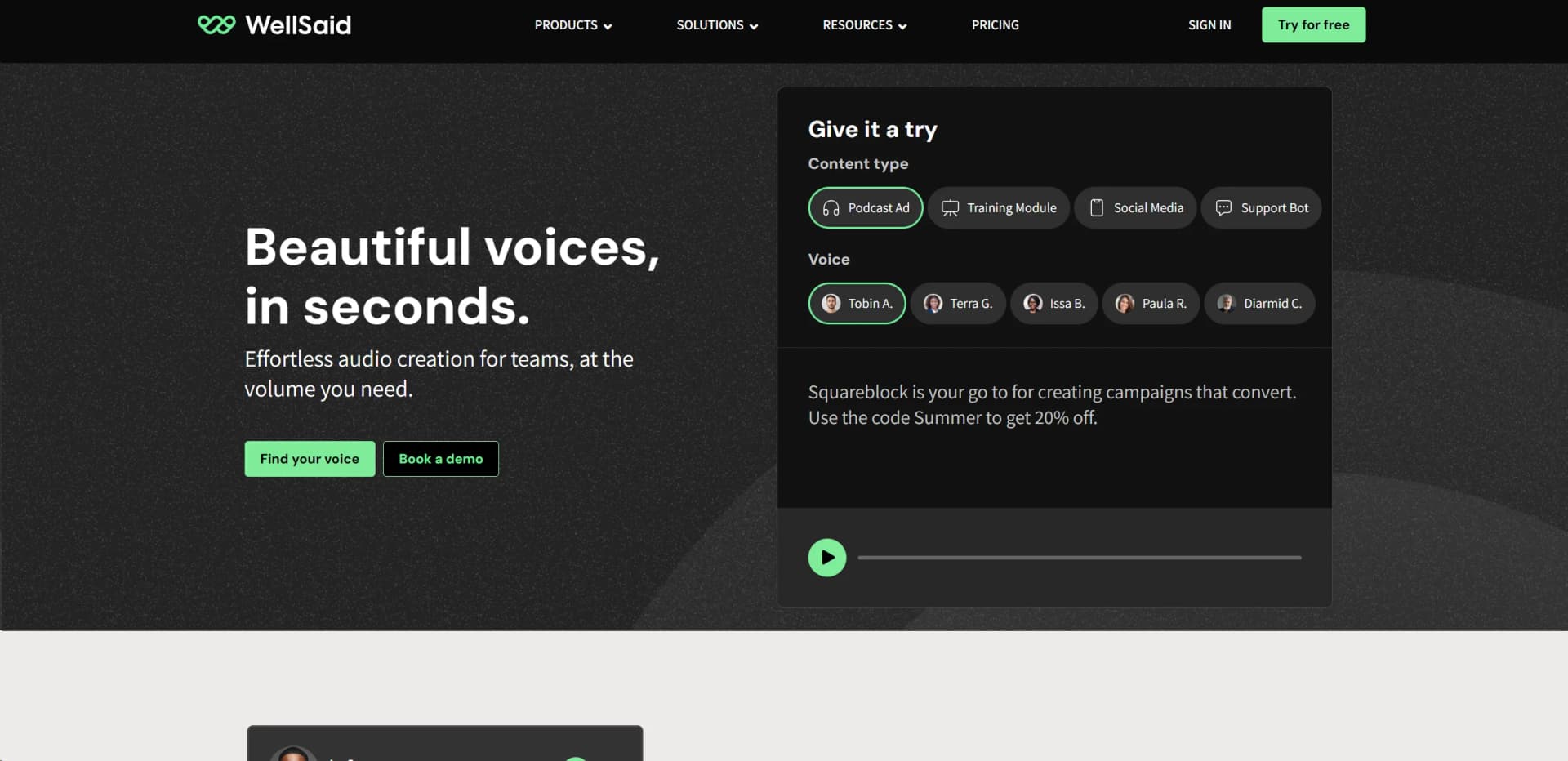
Transform text into lifelike, customizable spoken audio.
Watch WellSaid in Action
Key Takeaways
- What it is
- Transform text into lifelike, customizable spoken audio.
- Pricing
- $99 per month. Ideal for individuals · $199 per user per month (billed yearly). For teams getting started
- Best for
- Lifelike Voice Models
- Wide Range of Voices
- High Customization
- Rating
- 4.6/5
What is WellSaid?
WellSaid leads in transforming text-to-speech technology, offering remarkably lifelike and expressive voice synthesis. It simplifies creating high-quality spoken audio content for content creators, businesses, and educators across various applications like audiobooks, educational videos, and corporate training materials.
WellSaid Labs excels with its ability to produce extremely lifelike and emotionally resonant voices, powered by proprietary AI and machine learning technology, setting a new standard in voice synthesis quality.
WellSaid stands out for providing top-notch voice synthesis, essential for producing high-quality spoken audio content. Its lifelike and customizable voices offer unmatched advantages for diverse audio production needs.
Who is Using WellSaid?
Content Creators
Creating engaging podcast and video content.
Corporate Trainers
Developing training modules with high-quality narration.
Audiobook Publishers
Efficiently producing a wide range of audiobook genres.
Educational Institutions
Creating accessible educational materials.
Uncommon Use Cases
Adopted by non-profits for donor engagement materials; used in transit systems for clear public announcements.
Key Features
Rating Breakdown
Pricing Plans
Trial Plan
- Includes all functionality, but downloading is disabled
Creative Plan
$99 per month. Ideal for individuals
- Includes 20 projects, 250 downloads per month, all English voices, unlimited retakes, 1 seat, and MP3 file output
Business Plan
$199 per user per month (billed yearly). For teams getting started
- Includes everything in Creative, plus 100 projects per user, 9,000 downloads, team workspaces, Adobe and Canva integrations, live chat support, and more file format options
Enterprise Plan
- Includes everything in Business, plus unlimited projects and downloads, SSO, priority support, content moderation, SOC2 security, and a dedicated Customer Success Manager
Which WellSaid plan should you pick?
Start with Free to test Studio, choose Starter or Pro for individual commercial work, upgrade to Business for collaboration, and use Enterprise for SSO, security controls, all languages, translation, and custom scale.
Free
Good for evaluating WellSaid with limited monthly downloads when commercial rights are not required.
Starter
Good for individual creators who need commercial voiceover, 10 projects, English voices, captions, and 240 annual or 20 monthly downloaded minutes.
Pro
Good for individuals who need unlimited projects, more downloaded minutes, higher sample rates, and Adobe Express integration.
Business
Good for small teams who need up to five seats, team workspaces, collaboration, comments, shared resources, and Adobe Premiere Pro integration.
Enterprise
Good for organizations needing custom seats and usage, all languages, translation, SSO, enterprise security, custom workspaces, and priority support.
WellSaid Use Cases
Training content
Create voiceover for training programs and eLearning scripts using selected voices, styles, and delivery controls.
Outcome: Finished training audio that can be downloaded with captions.
Marketing voiceovers
Generate promotional and advertising audio with expressive voice styles and controls for pitch, pace, loudness, and emotion.
Outcome: Studio-quality marketing narration produced quickly.
Voice assistants
Use the WellSaid API to convert application text into spoken audio for voice-assistant experiences.
Outcome: Programmatically generated speech for an application.
Long-form narration
Generate narration for books, articles, podcasts, and other long-form scripts through the API or Studio.
Outcome: Downloadable spoken-audio files.
Interactive voice response
Use API-generated speech in IVR systems and other interactive audio applications.
Outcome: Voice prompts generated from application text.
Workflow Ideas with WellSaid
Create a voiceover from a document
- 1Create or open a Studio project.
- 2Import a .txt, .pdf, or .docx script and split it by paragraph or sentence.
- 3Choose a voice, generate takes, review them, and download the finished audio.
Build programmatic text-to-speech
- 1Create a WellSaid account and request an API key.
- 2Send text and a speaker ID to the TTS or streaming endpoint.
- 3Save the returned audio and optionally use word-timing or clip-combination endpoints.
Collaborative review workflow
- 1Create a project in a Business or Enterprise workspace.
- 2Invite collaborators and share the project through the team workspace.
- 3Generate takes, collect comments on clips, and download the approved version.
How WellSaid fits into your stack
Browser
WellSaid Studio is accessed in a web browser for creating projects, editing scripts, generating voiceovers, and downloading audio.
Docs and writing
Users can import TXT, PDF, or DOCX scripts, split them into sections, edit text, assign voices, and render audio.
Team collaboration
Business and Enterprise plans provide shared project access, team workspaces, comments, shared pronunciation libraries, and role-based permissions.
Automation and APIs
The WellSaid REST API provides authenticated text-to-speech endpoints, streaming generation, asynchronous clips, bulk processing, and voice metadata access.
Pros
- +Time Efficiency: Significantly reduces the time to produce narrated content.
- +Cost-Effective: Eliminates the need for expensive voice actor services.
- +High Quality: Delivers clear and natural-sounding voice outputs consistently.
- +User-Friendly Interface: Straightforward dashboard design for easy navigation.
Cons
- −Limited Language Options: Growing support for diverse accents but limited languages.
- −Dependency on Internet: Requires an active internet connection for voice generation.
- −Learning Curve: New users may require time to explore all features.
Limitations & when to consider alternatives
Known limitations
- Free usage has no commercial rights. The Free plan includes 3 downloaded minutes per month, but those downloads do not include commercial rights.
- Imported scripts are limited to supported formats. Studio supports .txt, .pdf, and .docx imports. ZIP files are not supported.
- Sections have a 5,000-character limit. Imported scripts may need to be split by paragraph or sentence so each section stays within the 5,000-character limit.
- Enterprise is required for full language and translation access. All languages and direct Studio translation are listed as Enterprise features.
- API requests have default limits. The default API key is limited to 3 requests per second and 1,000 characters per request.
Look elsewhere when
- You need image understanding or image-based input.
- You need programming-code generation.
- Your workflow requires a native mobile or desktop application.
- You need to fine-tune WellSaid models on your own data.
How to Use WellSaid
- 1
Create an account
Sign up for a Free account to access WellSaid Studio and begin testing voice creation.
- 2
Create a project
Open Studio, select New project, and provide a project name and optional description.
- 3
Choose a voice and style
Browse the Voices library, preview voices, and select a voice style and model for the project.
- 4
Add or import a script
Type or paste text directly, or import a .txt, .pdf, or .docx file and choose how to split it into sections.
- 5
Generate and refine takes
Generate audio, compare multiple takes, adjust pronunciation and delivery controls, and regenerate as needed.
- 6
Download the finished audio
Download MP3 audio on supported plans, with WAV, OGG, text, and caption exports available on higher tiers.
Who is WellSaid For?
Creators
Individual creators can produce voiceovers with curated voice actors, tone and pitch controls, unlimited generation on paid plans, and downloadable audio.
Teams
Teams can use shared workspaces, collaborator seats, comments, team voice libraries, access controls, and shared pronunciation settings.
Enterprise organizations
Enterprise customers receive custom seats and minutes, all supported languages, translation, SSO, security controls, onboarding, and priority support.
Learning and development teams
WellSaid lists Learning & Development as a solution area for producing training and educational voiceover content.
Marketing and creative production teams
WellSaid lists Marketing, Creative Agency, Products & Apps, and Video Production as solution areas for creating professional voiceover content.
Frequently Asked Questions
Does WellSaid offer a free plan?
Yes. The Free plan requires no credit card and includes 3 downloaded minutes per month without commercial rights.
What does the WellSaid API do?
The RESTful API converts text into spoken audio using WellSaid AI voices. It supports standard and streaming text-to-speech endpoints.
Which languages does WellSaid support?
Global language coverage includes Spanish, French, Portuguese, Italian, German, Polish, Arabic, Japanese, Mandarin, Cantonese, and Korean, among others.
Can teams collaborate in WellSaid?
Business and Enterprise plans provide team workspaces, shared drives, commenting, collaborator seats, access controls, and shared pronunciation libraries.
Does WellSaid train its models on customer data?
No. WellSaid states that customer data and content are never used to train its AI models.
What file formats can users upload?
Studio accepts .txt, .pdf, and .docx scripts. Uploaded content can be split by paragraph, sentence, or kept as one section.
Community reviews
Be the first to share your experience.
Sign in to leave a review for WellSaid.
WellSaid Alternatives
Looking for alternatives to WellSaid? Here are similar tools in the same category:
Learn to Master WellSaid
With Skill Leap courses
Get in-depth training on WellSaid and 50+ other AI tools with our expert-led video courses.
Start 7-Day Free Trial