Wepik
Marketing templates with built-in AI visuals for small businesses and entrepreneurs.
Key Takeaways
- What it is
- Marketing templates with built-in AI visuals for small businesses and entrepreneurs.
- Pricing
- Freemium
- Best for
- AI Image Generator
- Rating
- 3.5/5
What is Wepik?
Wepik is no longer presented at this URL as an active standalone product; wepik.com/ai redirects to Magnific's AI Image Generator.
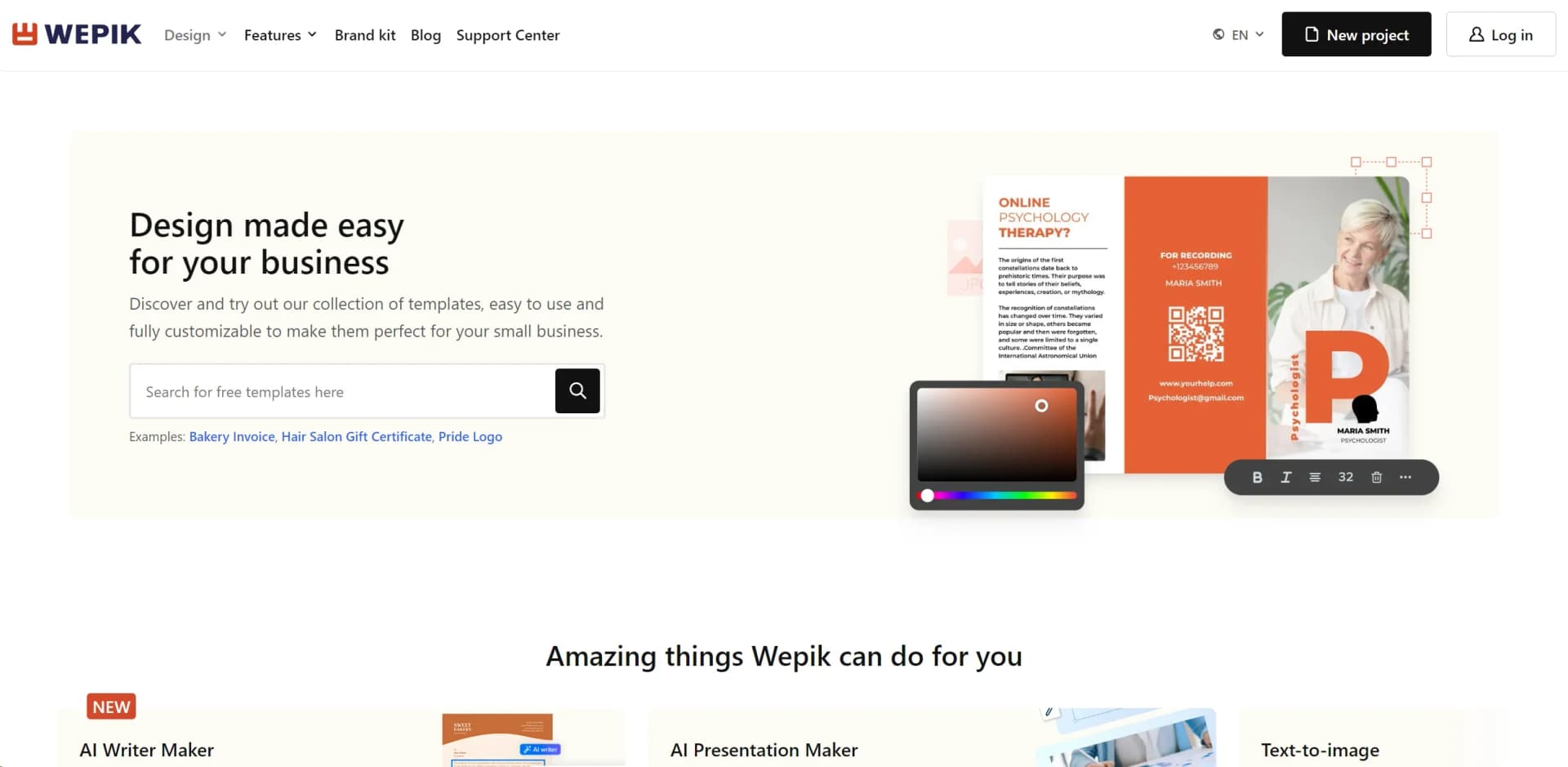
Wepik was previously associated with editable templates and AI tools for creating visual content, but the current destination does not present those capabilities as an active standalone Wepik product.
Who is Using Wepik?
Social media managers
Campaign work benefits from social templates, AI visuals, and scheduling features for recurring posts.
Small business owners
Brand kits and ready-made marketing layouts reduce the time needed to produce consistent business graphics.
Content writers
The AI Writer provides draft copy that can be paired with generated images and editable designs.
Presentation creators
The AI Presentation Maker gives a structured first draft that can be refined in the editor.
Graphic designers
AI-generated concepts and background removal can speed up early visual exploration and asset preparation.
Uncommon Use Cases
Resume and cover letter layouts for job applications; mood boards and vision boards for personal projects.
Key Features
Rating Breakdown
Pricing Plans
Free Tier
Free
- Access to a wide range of features and templates at no cost
Pro Tier
- Advanced features and premium templates are available for users looking for more sophisticated design options
Which Wepik plan should you pick?
Start with Free to explore the AI tools; upgrade to Premium for regular professional use, Premium+ for high-volume generation, or Pro Starter for scaled production.
Free
Good for users exploring Magnific who need limited daily AI access and basic stock content.
Premium
Good for designers, marketers, and creators who need premium stock, commercial use, and regular AI-tool access; the displayed price is $20/month or $14.50/month billed annually.
Premium+
Good for creators who need unlimited generations on supported models and higher AI capacity; the displayed price is $45/month or $33.75/month billed annually.
Pro Starter
Good for professionals scaling content production who need the highest individual credit tiers and expanded unlimited-model access; the displayed price is $110/month or $82.50/month billed annually.
Wepik Use Cases
Social media graphics
Campaign posts start from platform-specific templates and can be filled with AI-generated images.
Outcome: Faster production of branded social content.
Small-business branding
Logos, business cards, letterheads, and brand elements can be developed from editable designs.
Outcome: A more consistent visual identity.
Presentation creation
A topic can become a first presentation draft with generated structure, copy, and visual direction.
Outcome: A faster starting point for slide decks.
AI visual concepts
Text prompts produce visual ideas for campaigns, illustrations, product concepts, or mood boards.
Outcome: More options before committing to a final design.
Marketing copy
The AI Writer supports first drafts for promotional text that can be placed into a visual layout.
Outcome: Less time spent starting marketing copy.
Workflow Ideas with Wepik
Social campaign draft
- 1Choose a social media template.
- 2Generate a supporting image from a text prompt.
- 3Add the campaign copy and prepare the post for scheduling.
Presentation from an idea
- 1Enter the presentation topic in AI Presentation Maker.
- 2Review the generated slide structure and content.
- 3Edit the design, images, and text in the template editor.
New brand starter kit
- 1Select logo, business card, and letterhead templates.
- 2Set the brand logo, colors, and typography.
- 3Apply the saved brand elements across the designs.
How Wepik fits into your stack
AI creation
Wepik's AI Image Generator and AI Writer sit at the beginning of a content workflow, producing raw visual and written material.
Design production
The template editor turns generated content into social posts, presentations, marketing graphics, and other finished layouts.
Brand management
The Brand Kit keeps logos, color palettes, and typography available for repeated design work.
Social publishing
The Social Media Scheduler supports planning and publishing content after designs are complete.
Pros
- +Fast visual concepts: Text prompts can produce starting images without manual illustration work.
- +Template variety: Projects cover common needs such as social posts, presentations, flyers, logos, and resumes.
- +Beginner-friendly workflow: AI tools sit alongside a template editor rather than requiring separate design software.
- +Useful for small teams: Brand assets and social publishing features support recurring marketing tasks.
Cons
- −Current availability: The original Wepik website now redirects to another creative service.
- −Limited ecosystem: There is no confirmed public API, browser extension, or desktop application for Wepik.
- −Mobile access: The former Wepik mobile apps are no longer listed in the major app stores.
Limitations & when to consider alternatives
Known limitations
- Website status. The original wepik.com pages now redirect to another creative service, so current Wepik access and support cannot be confirmed.
- Mobile availability. Archived listings indicate that the former iOS and Android apps were removed from their app stores.
- No confirmed developer API. The official Wepik materials reviewed do not document a public API, keys, or developer endpoints.
Look elsewhere when
- You need a currently maintained design service with published plans and active support.
- You need a public API or automated connection to another business system.
- Your team needs shared workspaces with roles, invites, and centralized administration.
How to Use Wepik
- 1
Start with a project type
Choose a template category such as social media, presentation, branding, marketing, or personal design.
- 2
Generate supporting content
Describe the image or written content you need with the relevant AI tool.
- 3
Refine the layout
Adjust the template's text, colors, images, and arrangement so the result matches the intended audience.
- 4
Apply brand details
Add saved logos, colors, and typography when the design needs to match an existing identity.
- 5
Prepare the final asset
Review the design for spacing and readability before downloading or publishing it.
Who is Wepik For?
Small businesses
Marketing templates and AI-generated visuals help produce everyday promotional materials without hiring a dedicated designer.
Entrepreneurs
Logo, business card, presentation, and social media templates cover common early-stage branding needs.
Content creators
AI images and ready-made layouts support quicker production for social posts and digital campaigns.
Educators
Presentation and worksheet templates provide a starting point for classroom and training materials.
Frequently Asked Questions
Was Wepik free?
Official company materials described Wepik as entirely free, although current Wepik pricing cannot be confirmed because the original site now redirects elsewhere.
What could Wepik's AI Image Generator create?
It generated visuals from text prompts, including photos, digital art, and 3D-style images.
Could Wepik make presentations?
Yes. Its AI Presentation Maker was described as a tool for creating presentation content and layouts from an idea.
Did Wepik include an AI writing tool?
Yes. The AI Writer helped draft text that could be used in visual projects.
Is Wepik still available as a mobile app?
The former iOS and Android listings are archived or removed, so an active official mobile app cannot be confirmed.
Community reviews
Be the first to share your experience.
Sign in to leave a review for Wepik.
Wepik Alternatives
Looking for alternatives to Wepik? Here are similar tools in the same category: