
Windsurf
Streamline coding with predictive AI, deployment, and integration.
Watch Windsurf in Action
Key Takeaways
- What it is
- Streamline coding with predictive AI, deployment, and integration.
- Pricing
- Freemium · $15 per month · $60 per month · $35 per user/month. Ideal for up to 200 users · $90 per user/month. Adds 2,500 Flow Action credits and unlimited User Prompt credits per user
- Best for
- Cascade Agent
- Windsurf Tab
- Integrated App Deployment
- Rating
- 4.4/5
What is Windsurf?
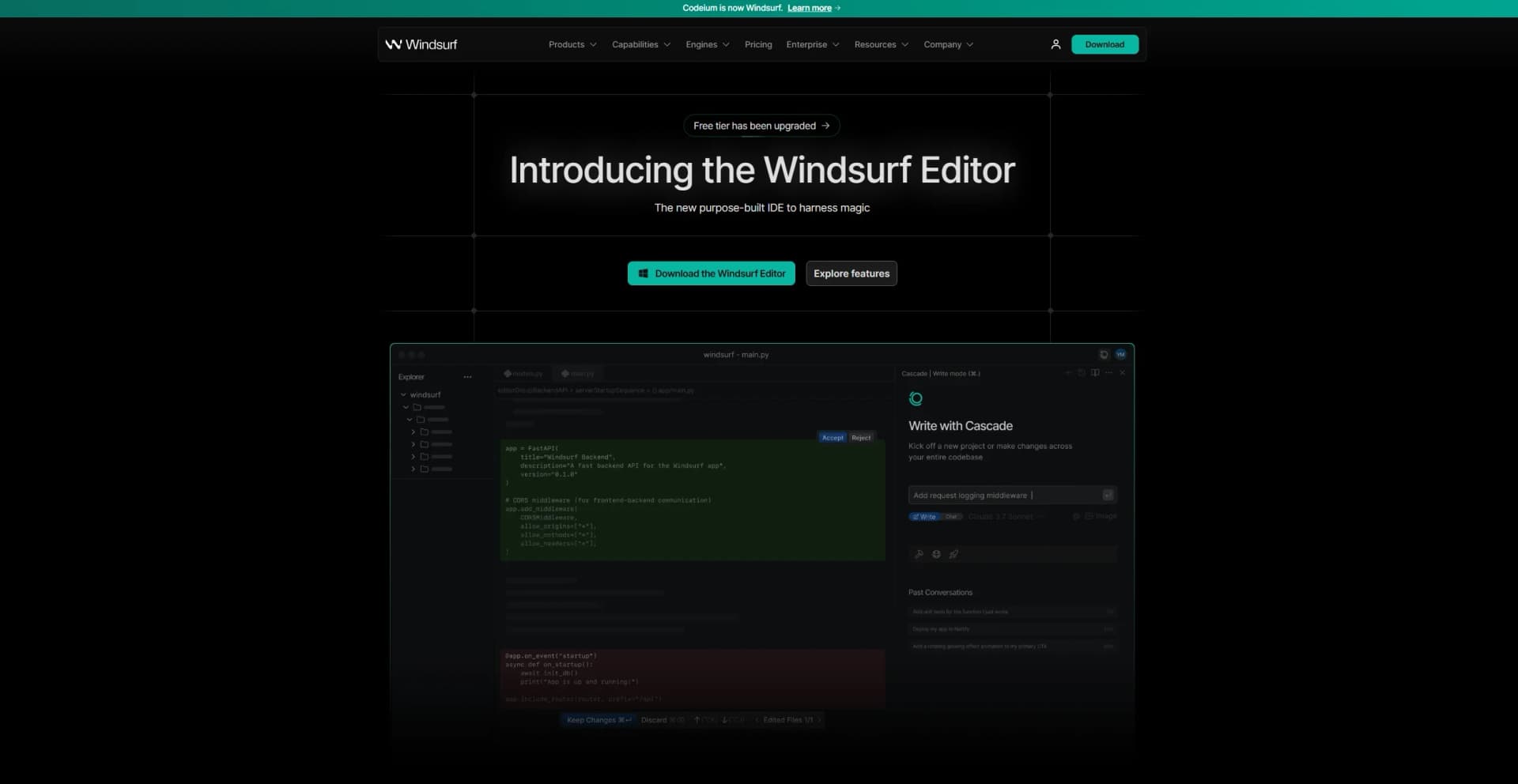
Windsurf, previously known as Codeium, is an advanced AI-powered code editor designed to transform the way developers write, debug, and deploy code. Tailored for software engineers and development teams, Windsurf offers an intelligent integrated development environment (IDE) that anticipates user needs, streamlines workflows, and enhances productivity. With its robust features and AI-driven capabilities, it simplifies complex coding tasks, allowing developers to focus on creative and strategic aspects of software development.
Windsurf stands out with its Cascade Agent, which not only provides real-time code corrections but also anticipates future coding needs. This proactive approach to coding is a game-changer for developers, allowing them to maintain focus on innovative tasks rather than routine debugging. Its ability to integrate app deployment directly into the coding environment further sets it apart, streamlining the entire development process.
Windsurf offers an unparalleled coding experience, combining anticipatory AI with a user-friendly interface to revolutionize software development. Its focus on maintaining developer flow and reducing cognitive load through predictive features makes it an indispensable tool for modern developers. Whether you're part of an enterprise team or a solo coder, Windsurf provides the tools you need to enhance your coding efficiency and creativity.
Who is Using Windsurf?
Software Development Teams
Leveraging the tool for efficient code writing and deployment.
Enterprise IT Departments
Using Windsurf to enhance productivity and streamline workflows.
Freelance Developers
Employing the tool for its predictive and corrective capabilities.
Tech Startups
Adopting Windsurf for rapid prototyping and deployment of applications.
Uncommon Use Cases
Utilized by educational institutions to teach advanced coding techniques; Adopted by non-profit tech organizations for developing open-source software.
Key Features
Rating Breakdown
Pricing Plans
Free
Free
- Includes a one-time trial of 50 User Prompt credits and 200 Flow Action credits, limited access to Cascade, Windsurf Editor, plugins, and basic AI features. No premium credit purchases allowed
Pro
$15 per month
- Includes 500 User Prompt credits and 1,500 Flow Action credits, priority access to advanced models, higher context limits, fast tab speed, and optional zero data retention
Pro Ultimate
$60 per month
- Includes unlimited User Prompt credits and 3,000 Flow Action credits, along with everything in Pro plus priority support
Teams
$35 per user/month. Ideal for up to 200 users
- Includes 300 User Prompt credits and 1,200 Flow Action credits per user, pooled credit access, and team features like analytics, indexing, and Forge AI code reviewer
Teams Ultimate
$90 per user/month. Adds 2,500 Flow Action credits and unlimited User Prompt credits per user
- Everything in Teams included
Enterprise SaaS
- Tailored for unlimited users
- Support for on-prem or hybrid deployment
- Private finetuning
- Audit logs
- Enterprise workshops
- Analytics API
- Full priority access
Which Windsurf plan should you pick?
Start with Free for lightweight individual coding, upgrade to Pro for premium models and higher usage, choose Teams for managed collaboration, and use Enterprise for SSO, RBAC, SCIM, and advanced administration.
Free
Good for individuals who need basic autocomplete, previews, limited prompt credits, and one daily app deployment.
Pro
Good for individual developers who need 500 monthly prompt credits and access to premium AI models.
Teams
Good for organizations that need centralized billing, team administration, analytics, and member management.
Enterprise
Good for larger organizations that need RBAC, SSO, SCIM, longer context, and the highest-priority support.
Windsurf Use Cases
Code generation
Generate boilerplate, single-line suggestions, multi-line suggestions, and fill-in-the-middle completions.
Outcome: Faster implementation of repetitive code.
Unit test generation
Use Windsurf to generate test cases for existing code.
Outcome: More efficient test creation and edge-case coverage.
Code documentation
Generate inline comments and descriptions for code using Command or Chat.
Outcome: Clearer internal documentation.
API documentation and integration
Use Windsurf to work with API specifications, endpoints, signatures, and integration code.
Outcome: Less time spent searching for API details.
Code refactoring
Ask Cascade to restructure and improve code across the codebase.
Outcome: More maintainable code.
Workflow Ideas with Windsurf
Automate pull-request review
- 1Check out the pull-request branch
- 2Fetch and inspect pull-request comments
- 3Apply fixes and respond to each comment
Automate deployment
- 1Run deployment preparation checks
- 2Deploy the application to the target environment
- 3Perform post-deployment verification
Automate testing and formatting
- 1Run the project test suite
- 2Fix failures or formatting issues
- 3Re-run validation and summarize the result
How Windsurf fits into your stack
Desktop / IDE
Windsurf is primarily a downloadable AI coding IDE for Mac, Windows, Ubuntu, and other Linux distributions. It also provides plugins for VS Code, JetBrains, Visual Studio, Neovim, Eclipse, and Jupyter.
Browser
The Windsurf Chrome extension provides code completion in browser-based development environments including Colab, Jupyter, Databricks, Deepnote, Google Apps Script, JSFiddle, CodePen, Codeshare, and StackBlitz.
Automation and APIs
Cascade supports reusable multi-step Workflows for deployments, PR reviews, testing, and formatting. Enterprise customers also receive documented APIs for analytics and usage-configuration management, while MCP connects Cascade to services such as GitHub, Slack, PostgreSQL, and custom APIs.
Pros
- +Enhanced Productivity: Claims a 25% increase in developer productivity by reducing PR cycle times and boosting output.
- +Seamless Integration: Offers MCP support for connecting custom tools and services, expanding its functionality.
- +User Anticipation: Proactively identifies and fixes potential issues, keeping developers in a continuous flow state.
- +Enterprise Ready: Tailored for enterprise use with a focus on security, compliance, and change management.
Cons
- −Initial Learning Curve: New users may need time to fully harness the tool's extensive features.
- −Pricing Transparency: Specific pricing details are not readily available on the website, requiring direct contact for quotes.
- −Limited Third-party Integration: While MCP support is robust, integration with certain third-party platforms could be expanded.
Limitations & when to consider alternatives
Known limitations
- App Deploys are beta. The App Deploys feature is in beta and currently supports Netlify as the deployment provider.
- App Deploys are primarily for previews. Windsurf recommends claiming deployments and following security best practices for production applications with sensitive data.
- Unclaimed deployments may be deleted. Important deployments should be claimed because unclaimed deployments may be removed after some time.
- Workflow files have a size limit. Each workflow file can contain at most 12,000 characters.
- Concurrent Cascade edits can conflict. If multiple Cascades edit the same file simultaneously, race conditions may occur and a later edit can fail.
How to Use Windsurf
- 1
Install the IDE
Download and install Windsurf for Mac, Windows, Ubuntu, or Linux, then import VS Code or Cursor settings if needed.
- 2
Open a project
Open an existing codebase or start a new project so Cascade can use the workspace context.
- 3
Use Cascade
Open Cascade and choose Code or Chat mode to generate, explain, modify, or troubleshoot code.
- 4
Add context and rules
Use @mentions, Memories, Rules, or .codeiumignore to control what Cascade understands and changes.
- 5
Connect tools with MCP
Configure MCP servers such as GitHub, Slack, databases, or APIs when the project needs external tools.
- 6
Create repeatable workflows
Save reusable workflows for reviews, deployments, testing, or formatting and invoke them from Cascade.
Who is Windsurf For?
Individual developers
The Free and Pro plans support solo projects with autocomplete, Cascade, previews, and application deployments.
Enterprise developers
Enterprise users get longer context, RBAC, SSO, SCIM, advanced administration, and priority support.
Platform and Developer Experience administrators
The administrator guide targets platform and DevEx teams managing Windsurf across large organizations.
Centralized tooling teams
Centralized tooling teams can manage users, roles, models, MCP servers, workflows, and security settings.
Frequently Asked Questions
What is Windsurf?
Windsurf is an AI-powered IDE with Cascade, autocomplete, terminal tools, MCP integrations, workflows, and app deploys.
Does Windsurf have a free plan?
Yes. The Free plan includes monthly prompt credits, unlimited Windsurf Tab, unlimited previews, and one app deployment per day.
What is Cascade?
Cascade is Windsurf's agentic coding assistant with Code and Chat modes, tool calls, planning, checkpoints, real-time awareness, and linter integration.
Which operating systems support Windsurf?
The Windsurf IDE is available for Mac, Windows, Ubuntu, and other Linux distributions.
Can Windsurf connect to external tools?
Yes. Cascade supports MCP servers and documented examples include GitHub, Slack, databases, and APIs.
Can Windsurf deploy applications?
App Deploys can publish websites and JavaScript applications to Netlify with public URLs and redeployment support.
Community reviews
11 reviews from people who use Windsurf.
Sign in to leave a review for Windsurf.
Rahul Sridhar
SANTOSH SINGHAL
Jeff Wang
Peter Lee
Ronaldo Awademe
Luke Stebner
Architeutes 503
Quốc Trung Nguyễn
Muhammad Bilal
hifzon hifzon
Rodrigo Sakaguchi
Windsurf Alternatives
Looking for alternatives to Windsurf? Here are similar tools in the same category:
Learn to Master Windsurf
With Skill Leap courses
Get in-depth training on Windsurf and 50+ other AI tools with our expert-led video courses.
Start 7-Day Free Trial