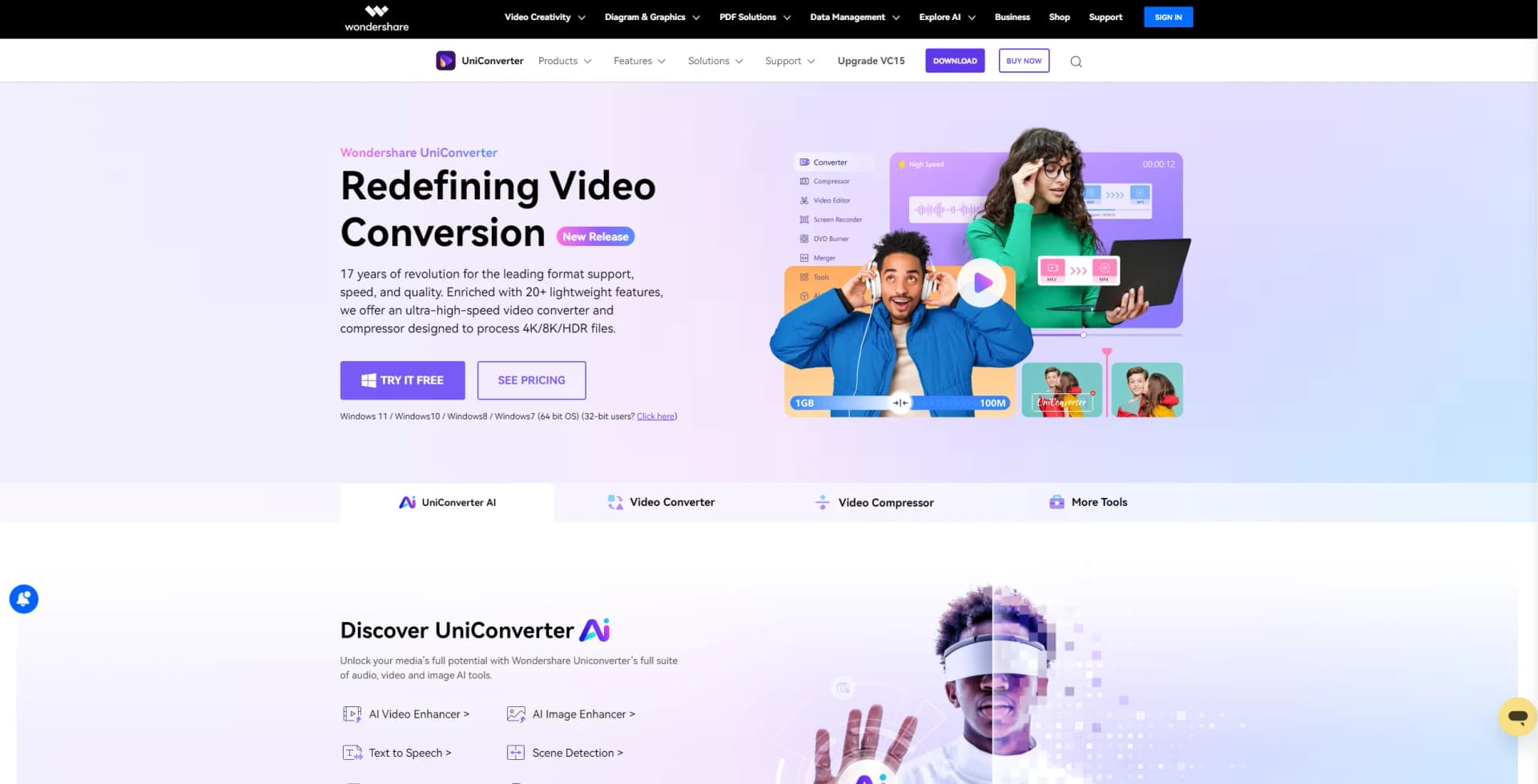
Wondershare UniConverter
Transform, compress, and enhance videos with AI-powered, high-speed conversion.
Watch Wondershare UniConverter in Action
Key Takeaways
- What it is
- Transform, compress, and enhance videos with AI-powered, high-speed conversion.
- Best for
- Ultra-fast File Conversion
- Versatile Media Formats Support
- High-definition Lossless Conversion
- Rating
- 4.7/5
What is Wondershare UniConverter?
In my quest to find the ultimate video conversion tool, I recently stumbled upon Wondershare UniConverter, a comprehensive solution that promises not just to convert videos but to transform your entire multimedia experience. With an array of features designed to compress, edit, convert, and enhance videos, this tool aims to be a one-stop shop for all your video processing needs. From personal projects to professional demands, UniConverter offers a breadth of functionalities that caught my attention and warranted a deeper dive.
What sets UniConverter apart in a crowded market of video converters is its blend of speed, efficiency, and quality. The tool's high-speed conversion capabilities, combined with its extensive format support and high-definition processing, make it a standout choice for users looking to manage and transform their multimedia content efficiently.
Wondershare UniConverter excels in delivering a powerful, efficient, and versatile video conversion experience. Its comprehensive suite of tools, combined with advanced features like AI-powered enhancements and high-definition processing, positions it as an essential resource for anyone looking to elevate their video content. Whether for professional use or personal projects, UniConverter stands out for its ability to meet a wide range of multimedia needs with precision and ease.
Who is Using Wondershare UniConverter?
Content Creators
For YouTubers, vloggers, and social media influencers, UniConverter simplifies video editing and conversion.
Professionals in Multimedia
Videographers and photographers find the tool's high-definition processing capabilities invaluable.
Educators and Students
The easy-to-use interface and comprehensive toolset support educational content creation and presentation.
Marketing and Advertising Professionals
UniConverter aids in creating compelling marketing materials with its video editing and enhancement features.
Uncommon Use Cases
Even sports analysts and gamers use UniConverter for analyzing performance videos and creating highlight reels, respectively.
Key Features
Rating Breakdown
Pricing Plans
Trial Version
- A free trial is available
- Offering a glimpse into the comprehensive features of UniConverter
Subscription Plans
- Detailed pricing information is accessible on the UniConverter website
- Catering to different user needs with various plans
Which Wondershare UniConverter plan should you pick?
Start with Free Version to test core tools; upgrade to Perpetual/1 PC or a subscription when you need unrestricted features and no watermark.
Free Version
Good for users who want to test UniConverter at no cost and can accept watermarks and feature limits.
Perpetual/ 1 PC
Good for users who want a one-time purchase with unrestricted features and ongoing updates for the current version.
1 Year / 1 PC
Good for users who prefer annual billing with all features, updates, watermark removal, and technical support.
1 Month / 1 PC
Good for short-term projects requiring the premium feature set without a long-term commitment.
Wondershare UniConverter Use Cases
Convert and compress media
Import video, audio, or image files, choose an output format, and process them individually or in batches.
Outcome: Media is converted into compatible formats and more manageable file sizes.
Create subtitles from speech
Upload a video or audio file, select Speech-to-Text, choose a language, and export the generated transcript.
Outcome: Spoken content becomes editable text or subtitle material.
Summarize long videos
Paste a YouTube link or upload a local video, let UniConverter transcribe and analyze it, then edit and export the summary.
Outcome: Long videos become concise summaries with key topics and action items.
Enhance and repair video
Use AI enhancement, stabilization, noise removal, portrait tools, or frame-rate conversion on imported footage.
Outcome: Videos receive improved clarity, smoother motion, cleaner audio, or changed backgrounds.
Download and prepare online media
Paste a supported video URL, download the media, and convert or edit the resulting file.
Outcome: Online video, audio, or images are saved for additional processing.
Workflow Ideas with Wondershare UniConverter
Turn a video into subtitles
- 1Launch UniConverter and select Speech to Text.
- 2Upload the video or audio file and choose a language.
- 3Export the transcript and refine it in the subtitle editor.
Create an AI video summary
- 1Paste a YouTube link or upload a video file.
- 2Let UniConverter transcribe the audio and identify key themes.
- 3Edit the summary and transcript, then export the result.
Automatically cut a video
- 1Open the Auto Cutter and import a video.
- 2Choose Auto Split and specify clip count or interval length.
- 3Review the clips, merge them if needed, and export them.
How Wondershare UniConverter fits into your stack
Extensive Format Compatibility
Supports a wide range of audio and video formats for comprehensive conversion needs.
Device Support
Enables seamless file sharing and conversion across multiple devices.
Advanced Hardware Acceleration
Utilizes AMD, NVIDIA, INTEL GPUs on Windows, and leverages the Metal Framework on Mac for enhanced performance.
AI Tools Integration
Features like AI Video Enhancer and Watermark Editor are seamlessly integrated, enhancing the tool's utility.
Pros
- +Speed and Efficiency: The ability to batch convert up to 20 media files simultaneously is a significant time-saver.
- +Quality Retention: High-definition processing capabilities ensure that the video quality is nearly indistinguishable from the original.
- +Wide Range of Tools: From video editing and compression to DVD burning and video recording, UniConverter packs a comprehensive set of tools for multimedia creation and editing.
- +AI-Powered Enhancements: Features like AI Video Enhancer, Watermark Editor, and Vocal Remover add a layer of polish to your projects that few competitors offer.
Cons
- −Learning Curve: The vast array of features might overwhelm new users initially.
- −Resource Intensive: High-speed and high-definition processing may demand significant system resources.
- −Price Point: While offering a robust suite of features, the cost may be a consideration for casual users or those with basic conversion needs.
Limitations & when to consider alternatives
Known limitations
- Free and trial versions are restricted. The free version may add watermarks and limit downloading and recording. The trial lasts seven days and restricts conversion length, download resolution, and recording.
- Fully offline use is unavailable. License verification requires an internet connection, and online downloads and some AI tools also require connectivity.
- Encrypted media may not convert. DRM-protected iTunes formats and AAX audiobooks cannot be converted, and some other encrypted files may fail.
- Watermark tools output MP4 only. The Remove Watermark and Add Watermark tools support MP4 output only; other formats must be converted separately.
- Some older Windows systems are unsupported. UniConverter version 12 and later do not support 32-bit Windows operating systems.
Look elsewhere when
- You need a native iOS or Android UniConverter app.
- You need a documented developer API.
- You need shared workspaces with roles and invitations.
- You need fully offline media processing.
How to Use Wondershare UniConverter
- 1
Wondershare offers a robust library of tutorials, guiding users from basic setup to advanced features, ensuring that even those new to video conversion can quickly become proficient.
Who is Wondershare UniConverter For?
Content creators
They can transcribe, subtitle, edit, enhance, convert, and repurpose video and audio content.
Business professionals
They can transcribe meetings, conference calls, and presentations into editable text and summaries.
Students and educators
They can summarize lectures, extract concepts, create study guides, and share content in multiple formats.
Filmmakers and YouTubers
They can generate scripts, enhance footage, remove backgrounds, create subtitles, and prepare videos for distribution.
Researchers and knowledge workers
They can analyze webinars, podcasts, research videos, and forum content for key insights and summaries.
Frequently Asked Questions
What operating systems does UniConverter support?
UniConverter provides dedicated installers for Windows and macOS. Current technical specifications list Windows 11/10/8/7/Vista and macOS 10.13 or later.
Is there a free version of UniConverter?
Yes. The Free Version costs $0, but it has restrictions such as watermarks, limited downloads, and limited recording.
What are the trial-version limitations?
The trial lasts seven days. Conversion is limited to one-third of a video, downloads are limited to one 480p file, and recording is limited.
Can UniConverter work offline?
UniConverter 17 is a standalone application, but it does not support fully offline use because license verification and some features require internet access.
Which languages does Speech-to-Text support?
UniConverter's Speech-to-Text feature supports processing video and audio in more than 15 languages, while other AI subtitle tools advertise 145+ languages.
Can UniConverter convert encrypted media files?
Some encrypted files may import but fail during conversion. iTunes DRM formats such as M4V, M4P, and M4A, plus AAX audiobooks, cannot be converted.
Community reviews
Be the first to share your experience.
Sign in to leave a review for Wondershare UniConverter.
Wondershare UniConverter Alternatives
Looking for alternatives to Wondershare UniConverter? Here are similar tools in the same category: