
Workleap
Make better engagement, review, and pay decisions.
Key Takeaways
- What it is
- Make better engagement, review, and pay decisions.
- Pricing
- $6.25 per user per month
- Best for
- AI-driven engagement insights
- Performance review cycles with AI assistance
- Compensation planning and analytics
- Rating
- 4.4/5
What is Workleap?
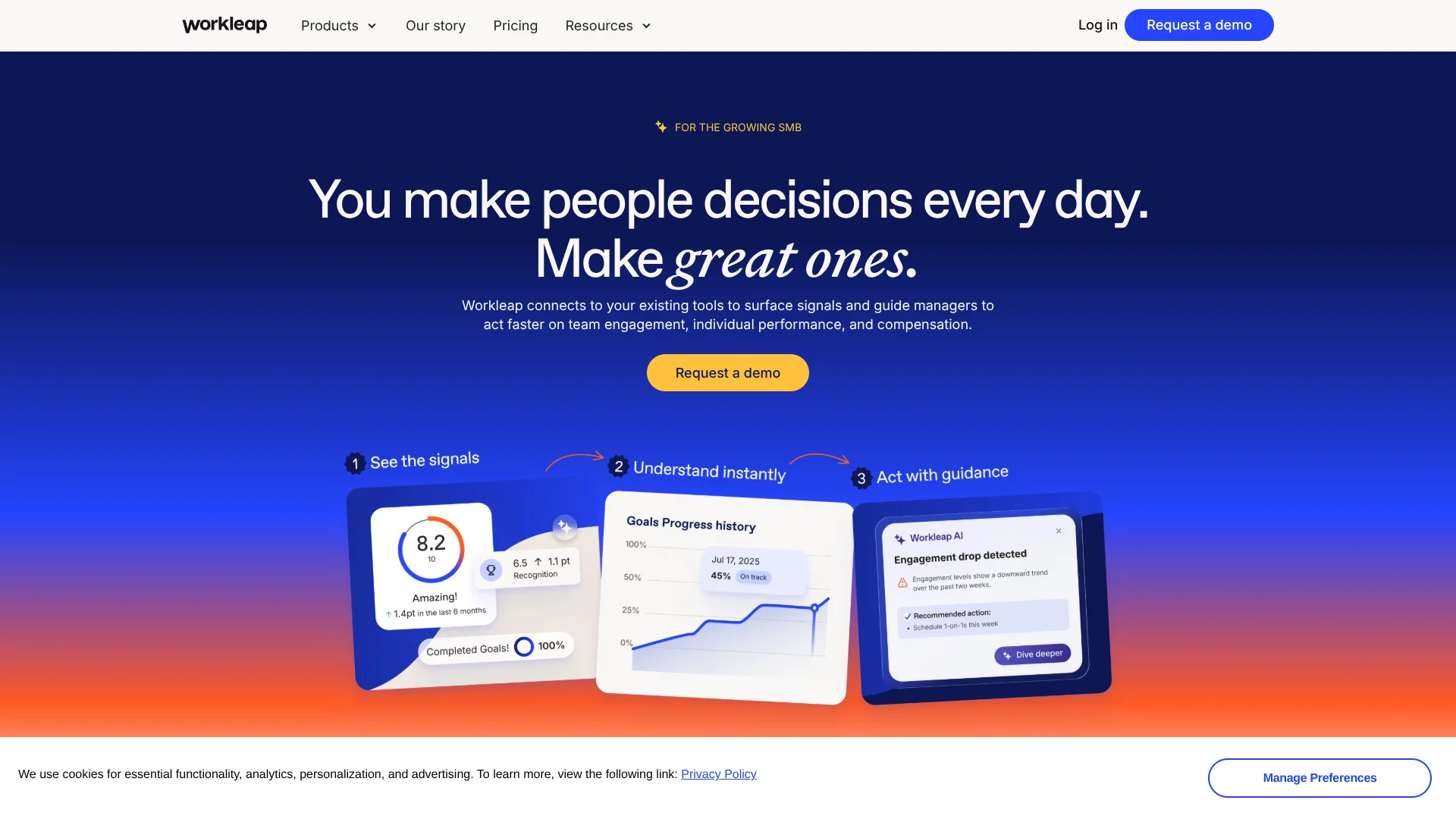
Workleap is an AI talent management system that connects employee engagement, performance management, and compensation into one workflow for growing small and midsize businesses. It plugs into existing HR tools to collect signals from surveys, feedback, reviews, goals, and pay decisions, then uses AI to summarize what is happening and recommend next steps. HR teams and managers get early visibility into issues, guidance on where to focus, and tools that employees actually do not hate using.
Workleap stands out by tying three typically separate domains engagement, performance, and compensation into a single AI-enhanced decision layer aimed squarely at SMBs. Instead of stopping at dashboards, its AI explains trends in plain language and recommends actions, making people data actually usable for non-analyst managers. Add in employee-friendly design and modular packaging, and it feels like a modern talent system without the enterprise bloat.
Workleap gives small and midsize organizations access to the sort of people insights typically reserved for large enterprises, without drowning them in admin. Its combination of engagement pulses, AI-assisted performance reviews, and structured compensation helps HR and managers spot issues early, respond with confidence, and maintain fairness as the company scales. Teams that truly act on feedback and reviews will get the most out of this AI talent management system.
Who is Using Workleap?
HR teams in growing SMBs
Using Officevibe and Performance to monitor engagement, run frequent reviews, and coach managers.
People leaders in tech companies
Aligning OKRs, feedback, and recognition across distributed engineering and product teams.
Professional services firms
Balancing billable utilization with engagement signals and structured performance conversations.
Finance and operations leaders
Using Compensation and analytics to give structure and guardrails to pay decisions during growth.
Uncommon Use Cases
Used by nonprofit organizations to track volunteer sentiment and recognition; adopted by distributed research labs to keep small specialist teams aligned on goals and feedback.
Key Features
Rating Breakdown
Pricing Plans
Officevibe
$6.25 per user per month
- 10 users minimum
- Engagement surveys, feedback, recognition, automated pulse + custom surveys, Good Vibes recognition/feedback, AI reporting/analysis/suggested actions, onboarding & DEIB surveys, anonymous feedback & messaging, metric reporting & eNPS, HRIS provisioning, O365/Slack/Google integrations, company announcements, feedback response assistance, and search assistant connected to up to 10 files
Performance
$6.25 per user per month
- 10 users minimum
- Performance review management, review cycle builder, self-review + peer feedback + summaries, AI-guided performance review writing, manager review form, cycle progress/details, performance rating analytics, automated notifications, configurable evaluation criteria, HRIS provisioning, performance summaries for managers, search assistant connected to up to 10 files, and performance review assistant to design and complete cycles
Which Workleap plan should you pick?
Start with Standard for core engagement, performance, AI, directory, integrations, and SSO needs; upgrade to Pro for advanced intelligence, MCP access, API access, SAML SSO, and advanced security; choose Enterprise for organizations with more than 250 employees.
Standard
Good for organizations needing core performance management, engagement reporting, AI analyses, an org directory, integrations, and SSO.
Pro
Good for teams needing advanced intelligence, MCP access, API access, SAML SSO, custom properties, advanced security, and personalized onboarding.
Enterprise
Good for organizations with more than 250 employees that need custom plans and capabilities.
Workleap Use Cases
Performance reviews
Use the Review Agent to gather evidence, surface patterns, and draft review responses in the manager’s voice.
Outcome: Managers prepare more consistent, evidence-based reviews.
Employee engagement
Run pulse, onboarding, and DEIB surveys and analyze feedback with sentiment and topic insights.
Outcome: HR and managers identify engagement patterns and areas needing action.
Onboarding
Create onboarding templates, upload source documents, assign activities, and schedule invitations for new hires.
Outcome: Organizations create repeatable onboarding plans with less manual setup.
Learning content creation
Upload PDFs, guides, manuals, or other files and use Files-to-Course to generate course structures and lesson content.
Outcome: Learning teams turn existing documentation into training courses faster.
People and workforce administration
Sync users and teams from HRIS, Slack, Google Workspace, or Microsoft 365 and manage roles, groups, and provisioning.
Outcome: Employee data stays aligned across systems with reduced manual administration.
Workflow Ideas with Workleap
Automated employee provisioning
- 1Connect Workleap to an HRIS, Google Workspace, Microsoft 365, Slack, or the Workleap API.
- 2Map users, teams, roles, and custom properties.
- 3Run recurring synchronization and review sync reports.
AI-assisted performance review
- 1Open an active performance review.
- 2Ask the Review Agent to gather relevant evidence.
- 3Review, edit, and submit the drafted responses.
Files-to-course creation
- 1Enter the course topic, audience, and learning objectives.
- 2Upload up to five supporting documents.
- 3Review the AI-generated outline and lesson content, then refine the course.
How Workleap fits into your stack
Browser
Workleap is a cloud-based employee-experience and HR platform accessed through modern web browsers. Its web workspace provides employee feedback, performance, people, learning, onboarding, and AI capabilities.
Team chat and tickets
Workleap AI can be accessed directly in Slack and Microsoft Teams. It can also search connected workplace knowledge and communications while respecting users' existing permissions.
Knowledge and files
Admins can add company knowledge through uploaded files and public websites, while Workleap AI can connect to sources such as Slack, Confluence, and SharePoint. Uploaded documents can support answers, reviews, and AI-generated learning content.
Automation and APIs
The Workleap API supports user provisioning, user management, and group or team management with API keys and documented endpoints. Workleap AI also performs multi-step HR actions such as gathering feedback, scheduling meetings, drafting reviews, and sending notifications.
Pros
- +Clear AI value for busy managers: Automatic summaries and recommendations turn survey comments, reviews, and comp data into digestible insights instead of long reports.
- +Modular product suite: Organizations can start with Officevibe and layer Performance and Compensation when ready, instead of committing to a heavy all-or-nothing HR stack.
- +Strong fit for SMBs and mid-market: Pricing, minimums, and setup are oriented toward streamlined HR teams that still need serious people analytics.
- +Employee-friendly experience: Modern UI, quick pulse surveys, and built-in recognition features encourage honest feedback and higher participation.
- +Decision-ready analytics: Dashboards, trends, and heatmaps help HR and executives see hotspots by team, location, or manager quickly.
Cons
- −Compensation module minimum size: The 100-user minimum for Compensation puts structured pay reviews out of reach for very small companies.
- −Suite complexity over time: Once multiple modules are enabled, new admins and managers can face a learning curve around roles, cycles, and configurations.
- −AI+ pricing opacity: The advanced Workleap AI+ offering requires contacting sales, which makes budgeting for heavier AI use less straightforward.
Limitations & when to consider alternatives
Known limitations
- AI usage limits on the free tier. Workleap AI Free allows three AI uses per person per month, capped at 1,000 uses per organization.
- AI+ does not include automated access. Workleap AI+ unlimited usage excludes automated or scripted access, systematic data extraction, and powering other tools or services.
- SAML setup requires support. SAML SSO requires a support request to activate and supports SAML 2.0 but not Single Logout.
- Confluence access depends on permissions. Workleap AI can only access Confluence spaces and pages that the connected account is permitted to view.
- Workleap AI does not sync Microsoft Teams conversations. The Teams app provides access to Workleap AI, but Workleap AI does not synchronize Teams data or conversations.
Look elsewhere when
- You need unlimited AI usage without a shared monthly limit.
- You need a native mobile application.
- You need fine-tuning or model-training controls.
- You need encryption specifications such as AES-256 or TLS.
How to Use Workleap
- 1
Choose a Workleap plan
Compare Standard, Pro, and Enterprise based on organization size and needs for API access, SAML, advanced intelligence, and security.
- 2
Set up your organization
Configure organization settings, invite users, assign product access, create teams, and define roles and permissions.
- 3
Connect identity and employee systems
Connect an HRIS, Slack, Google Workspace, Microsoft 365, or the Workleap API for provisioning and synchronization.
- 4
Configure SSO and integrations
Enable Google, Microsoft 365, Slack, or SAML SSO and connect relevant notification, calendar, document, and knowledge sources.
- 5
Add organizational knowledge
Upload files or connect sources such as Slack, Confluence, SharePoint, Jira, and Notion so Workleap AI can answer company-specific questions.
- 6
Use AI features in daily workflows
Use AI for briefings, review drafting, survey insights, summaries, onboarding templates, course creation, and action plans.
Who is Workleap For?
HR leaders
Workleap helps HR teams manage engagement, performance, compensation, and people insights in one platform.
Managers
Managers can use AI-assisted briefings, reviews, meetings, action plans, goals, and team-health insights.
Executives
Executives get organization-wide analytics, reporting, people insights, and visibility into workforce trends.
Learning and development teams
Workleap LMS supports course creation, assignments, progress tracking, automated requalifications, and learning content management.
Growing businesses with small HR teams
Workleap positions its talent-management suite for growing organizations with small or generalist HR teams.
Frequently Asked Questions
What is Workleap?
Workleap is an AI-powered talent-management platform covering engagement, performance, compensation, learning, onboarding, and people operations.
What does Workleap AI do?
Workleap AI provides contextual answers, summaries, drafts, organizational insights, and task support using company policies and connected knowledge sources.
Which integrations does Workleap support?
Workleap supports HRIS systems and connected tools including Slack, Microsoft 365, Google Workspace, Confluence, SharePoint, Jira, Notion, Teams, calendars, and video-conferencing platforms.
Does Workleap support single sign-on?
Yes. Workleap supports Slack, Google, Microsoft 365, and SAML-based single sign-on.
How much does Workleap cost?
The pricing page lists Standard starting at $4,999 USD annually, Pro starting at $11,999 USD annually, and custom Enterprise pricing.
Is Workleap AI free?
Workleap AI Free is included with every Workleap product, with usage limits of three AI uses per person per month and 1,000 per organization.
Community reviews
Be the first to share your experience.
Sign in to leave a review for Workleap.
Workleap Alternatives
Looking for alternatives to Workleap? Here are similar tools in the same category:
Learn to Master Workleap
With Skill Leap courses
Get in-depth training on Workleap and 50+ other AI tools with our expert-led video courses.
Start 7-Day Free Trial