
Wrangle
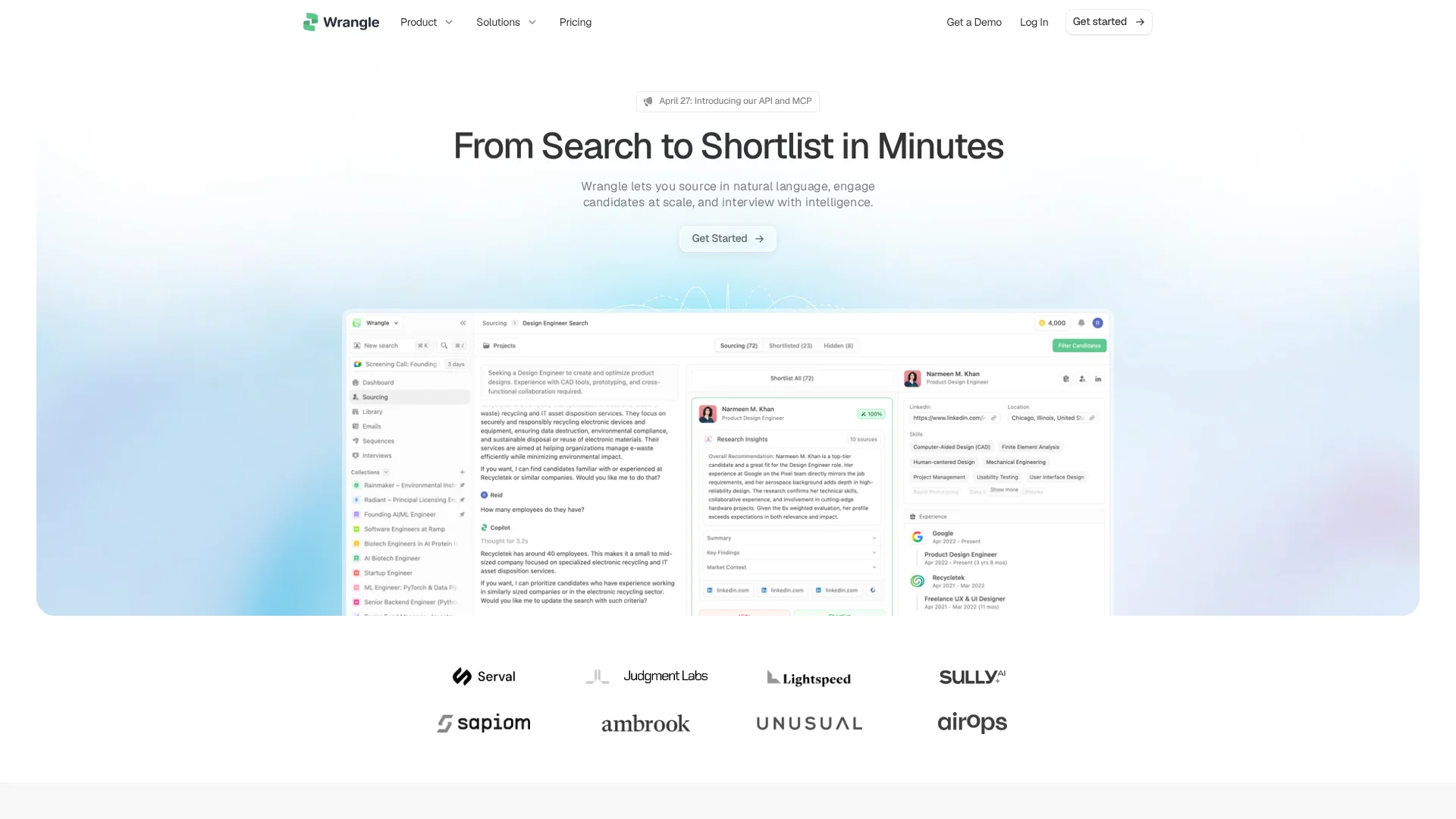
Sources and recruits candidates from 800M+ profiles.
Key Takeaways
- What it is
- Sources and recruits candidates from 800M+ profiles.
- Pricing
- $199 / month / seat · $499 / month / seat
- Best for
- Natural-language people search
- Scheduled recruiting agents
- Collaborative collections
Who is Using Wrangle?
Recruiting teams
Use Wrangle to source, evaluate, engage, and track candidates in one outbound recruiting workflow.
Talent teams
Use shared projects, collections, agents, and sequences to coordinate hiring work across the team.
Funds
Use market mapping to build operator and talent networks across portfolio companies.
Recruiting agencies
Use market mapping and candidate research to prepare talent-market views for client work.
Key Features
Pricing Plans
Starter
$199 / month / seat
- Unlimited sourcing
- ATS connection
- Email sequences
- Unlimited exports
- 5,000 monthly credits
Scale
$499 / month / seat
- Everything in Starter
- Inbound sourcing
- LinkedIn outreach
- All agent models
- Priority support
- 20,000 monthly credits
Enterprise
- Everything in Scale
- Volume seat and credit pricing
- Org-wide sharing controls
- SSO, SAML, and more
- Private Slack channel
- Recruiting services add-on
- Priority support and onboarding
Which Wrangle plan should you pick?
Start with Starter for basic sourcing, upgrade to Scale for inbound sourcing, LinkedIn outreach, and broader agent access, and choose Enterprise for organizations beyond ten seats needing governance and SSO.
Starter
Good for recruiting teams with basic sourcing needs that need unlimited sourcing, ATS connection, email sequences, exports, and 5,000 monthly credits.
Scale
Good for teams running more robust workflows that need inbound sourcing, LinkedIn outreach, all agent models, priority support, and 20,000 monthly credits.
Enterprise
Good for recruiting organizations past ten seats that need volume pricing, org-wide sharing controls, SSO, SAML, private Slack support, and onboarding.
Wrangle Use Cases
Natural-language candidate sourcing
Describe the desired background, trajectory, and judgment criteria in a full-brief search.
Outcome: Candidates are ranked against the complete hiring brief with reasoning attached.
Automated recruiting outreach
Enrich candidate contacts, review personalized messages, run email or LinkedIn sequences, and route replies.
Outcome: Recruiters manage outreach from the candidate record with per-step analytics.
Continuous standing searches
Set priority searches to rerun on a schedule and surface only new, qualified profiles.
Outcome: New matches are queued while recruiters are away from the platform.
Candidate pipeline management
Organize candidates in collections with stages, notes, custom attributes, and bulk actions.
Outcome: The team gets a shared view of candidate progress and context.
Client shortlist delivery
Send clients a shortlist link where they can review profiles, leave notes, and mark decisions.
Outcome: Client feedback returns as structured data on the mandate.
Workflow Ideas with Wrangle
Always-on outbound sourcing
- 1Create a standing search with the role brief
- 2Let Wrangle rerun the search and queue new qualified profiles
- 3Review reasoning and approve candidates for outreach
Candidate outreach sequence
- 1Save qualified candidates to a collection
- 2Run contact enrichment and review personalized messages
- 3Launch the email or LinkedIn sequence and monitor replies
Agency mandate delivery
- 1Open a mandate and build the market
- 2Curate an evidence-backed shortlist
- 3Share the shortlist link and collect structured client feedback
How Wrangle fits into your stack
Browser
Wrangle operates as a web-based recruiting workspace for natural-language sourcing, candidate research, collections, sequences, interviews, and talent management.
Browser extension
The Chrome extension syncs a user's network with Wrangle to support sourcing across the user's and team's connections.
Team chat and tickets
Wrangle can connect with Slack for messages, commands, event handling, and account linking where enabled.
Automation and APIs
The REST API and remote MCP server expose candidate search, enrichment, profiles, collections, and connected sources to external agents and applications.
Pros
- +Unlimited sourcing and exports on paid plans
- +Scheduled recruiting agents
- +Shared candidate collections for team workflows
- +Native ATS connections
- +Published API and MCP access
Cons
- −No permanent free plan; only a free trial is advertised
- −Contact enrichment and agent tool calls consume monthly credits
- −Enterprise features such as SSO and SAML require the custom Enterprise plan
Limitations & when to consider alternatives
Known limitations
- Credits apply to enrichment and agent tool calls. Search and candidate review are unlimited on paid plans, but contact enrichment and agent tool calls consume monthly credits.
- Starter has fewer credits and fewer advanced features. Starter includes 5,000 monthly credits; inbound sourcing, LinkedIn outreach, and all agent models are listed under Scale.
- Enterprise pricing is custom. Organizations past ten seats use custom volume seat and credit pricing.
- Wrangle is not an ATS replacement. Wrangle is a talent CRM and sourcing layer; the connected ATS remains the system of record.
- Outreach requires user approval. Agents draft and stage sequences, but messages do not send until the user enables them.
Look elsewhere when
- You need a native mobile application.
- You need a desktop installer instead of a browser-based platform.
- You need multilingual generation or conversation.
- You need image analysis or code generation.
How to Use Wrangle
- 1
Create your recruiting workspace
Sign up with a work email and start the free trial so your searches, collections, and sequences have a shared home.
- 2
Write a full-brief search
Describe the role in natural language, including background, trajectory, and judgment criteria, so Wrangle can rank candidates against the complete brief.
- 3
Review scored candidates
Inspect ranked profiles, company signals, sources, and reasoning before saving qualified people to a collection.
- 4
Enrich and contact candidates
Run contact enrichment, review personalized messages, and configure email or LinkedIn sequence steps.
- 5
Automate recurring searches
Set a standing search schedule so Wrangle finds and reports new candidates without repeated prompting.
- 6
Sync downstream and collaborate
Share collections with teammates and push qualified candidates, notes, and search context to Ashby, Greenhouse, Lever, or Recruit CRM.
Who is Wrangle For?
Top talent teams
Wrangle provides natural-language sourcing, multichannel outreach, recruiting agents, and shared pipeline management.
Enterprise recruiting organizations
Large recruiting organizations get governance, auditability, org-wide sharing, ATS integration, and volume pricing.
Recruiting agencies and search firms
Agencies can manage multiple mandates, reusable talent pools, client-ready shortlists, and structured client feedback.
Venture, private-equity, and family-office teams
Investment teams can maintain market maps, share vetted operators, support diligence, and leverage talent networks across portfolio companies.
Frequently Asked Questions
How does Wrangle differ from LinkedIn Recruiter?
Wrangle evaluates candidates against a full brief, shows evidence behind scores, and returns ranked matches rather than relying primarily on keyword filters.
How much does Wrangle cost?
Starter costs $199 per seat monthly, Scale costs $499 per seat monthly, and Enterprise uses custom pricing.
How do I get started with Wrangle?
Sign up with a work email, describe the role, review a scored shortlist, and send outreach from your own mailbox during the free trial.
Can my whole team use Wrangle together?
Yes. Projects, collections, org-wide sharing, and shared candidate review support team collaboration.
Does Wrangle connect to our ATS?
Wrangle connects to Ashby, Greenhouse, Lever, and Recruit CRM, with candidates and stage information synchronized to the ATS.
Will the agent email candidates without asking?
Agents draft sequences and stage them for approval; nothing sends until the user enables it.
Community reviews
Be the first to share your experience.
Sign in to leave a review for Wrangle.
Wrangle Alternatives
Looking for alternatives to Wrangle? Here are similar tools in the same category:
Learn to Master Wrangle
With Skill Leap courses
Get in-depth training on Wrangle and 50+ other AI tools with our expert-led video courses.
Start 7-Day Free Trial