
WriteHybrid
Turn AI drafts into natural, detector-safe writing.
Key Takeaways
- What it is
- Turn AI drafts into natural, detector-safe writing.
- Pricing
- $19 per month · $49 per month · $99 per month
- Best for
- AI Humanizer Engine
- Detector Coverage
- Specialized Modes
- Rating
- 4.5/5
What is WriteHybrid?
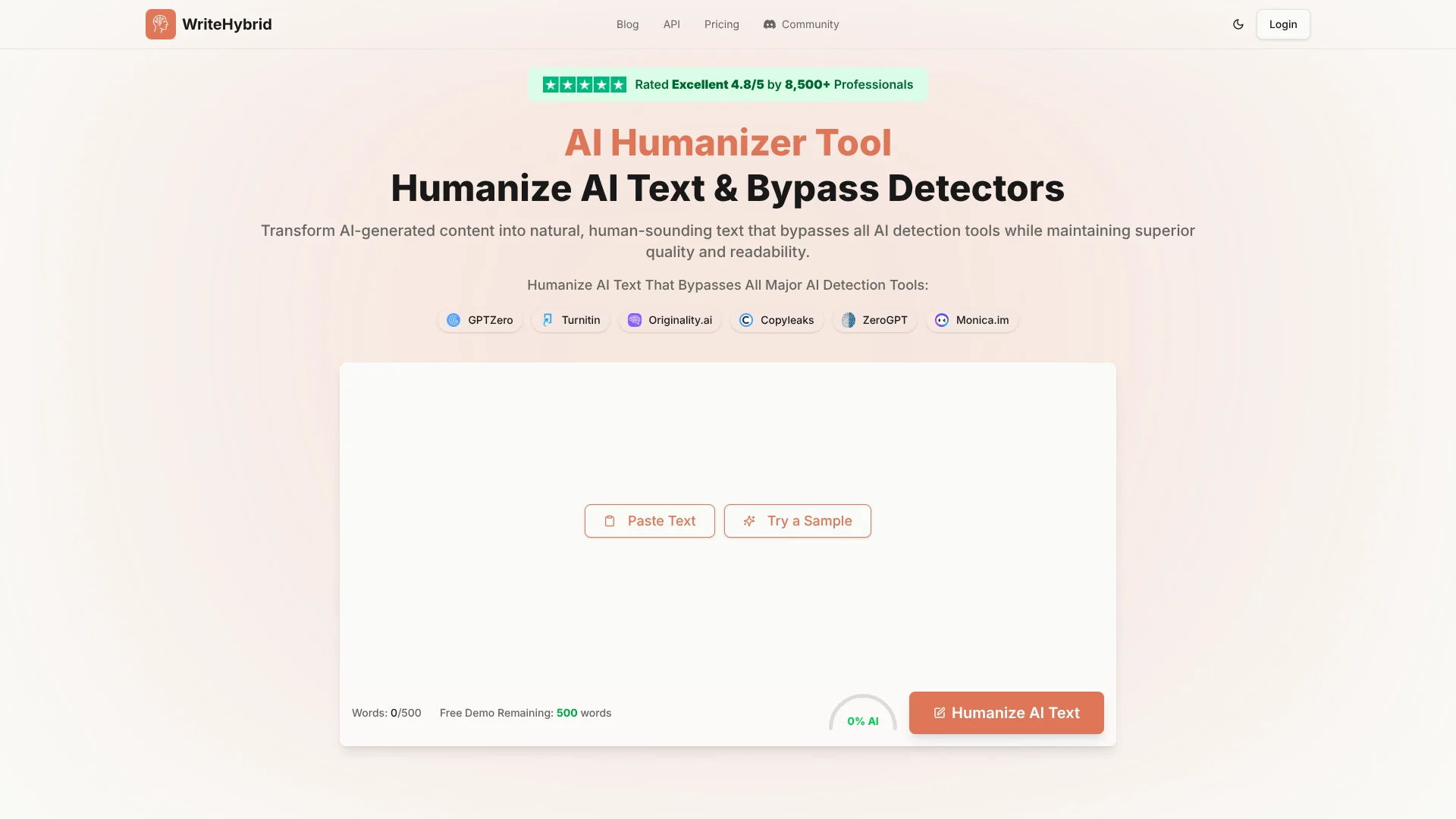
WriteHybrid focuses on one thing: turning obvious AI-generated drafts into natural, human-sounding text that slips past AI detectors while staying readable. It pairs an AI humanizer with built‑in detection tools to reduce AI scores on systems such as GPTZero, Turnitin, Originality.ai, Copyleaks, ZeroGPT, and Monica. Students, marketers, agencies, and freelancers use it to humanize AI text, protect SEO performance, and avoid false positives from increasingly aggressive AI detection models.
WriteHybrid leans hard into the combination of bypass rate and text quality. Many humanizers either fail modern detectors or produce warped, awkward prose. WriteHybrid’s pitch is that it consistently beats leading detectors while keeping syntax, rhythm, and vocabulary close to natural human writing. Added touches such as Turnitin-focused flows, a teacher-oriented detector, custom tones for agencies, and a privacy-first stance give it a sharper identity in a crowded AI humanizer market.
WriteHybrid suits users who rely heavily on AI for drafting but cannot afford content that “looks AI” to detectors or human readers. Its humanizer and detector combo, high throughput, and tone controls make it especially appealing for students, agencies, and SEO-focused teams that live inside word-count targets. Those concerned with academic integrity or institutional rules will need to use it carefully, but as a tool for reducing false positives and improving the natural feel of AI-assisted writing, it offers strong value and genuinely impressive output quality.
Who is Using WriteHybrid?
Students and Researchers
Using the humanizer to reduce false AI flags on legitimately written work and to refine language in theses and essays.
Content Marketers and SEO Teams
Humanizing AI-assisted blog posts and landing pages so they rank better and stop tripping AI-content filters.
Agencies and Freelancers
Producing “client-safe” copy that passes detectors, especially for ghostwriting and bulk content contracts.
Teachers and Academic Staff
Using the AI detector to check assignments and to lightly humanize support materials for non-native speakers.
Uncommon Use Cases
Adopted by legal and compliance teams to smooth AI-generated policy drafts; used by founders and executives to clean up AI-written LinkedIn posts without sounding robotic.
Key Features
Rating Breakdown
Pricing Plans
Starter
$19 per month
- Includes 20,000 words per month, basic processing, and email support
Pro
$49 per month
- Includes 60,000 words per month, priority processing, multiple rewrite tones, and email support
Agency
$99 per month
- Includes 150,000 words per month, priority processing, multiple rewrite tones, team access, dedicated support, and custom tones
Which WriteHybrid plan should you pick?
Start with Free for testing, choose Starter for regular individual use, and upgrade to Pro when you need higher volume or API access.
Free
Good for users who need 500 words per month to test the humanizer without entering payment details.
Starter
Good for individuals who need 20,000 words per month with basic processing and email support.
Pro
Good for professionals who need 60,000 words per month, priority processing, and multiple rewrite tones.
Agency
Good for higher-volume users who need 150,000 words per month, team access, custom tones, and dedicated support.
WriteHybrid Use Cases
Academic writing
Paste coursework, essays, or research-paper sections and run them through Academic mode.
Outcome: A more natural academic register while preserving the original meaning.
Blog posts
Rewrite AI-generated blog content using Casual mode and review the result before publishing.
Outcome: More conversational, human-sounding copy.
Marketing copy
Process promotional or SEO-oriented drafts with Marketing mode.
Outcome: Copy adjusted for a marketing register.
Technical documentation
Use Technical mode on AI-generated documentation and inspect the output for factual accuracy.
Outcome: Technical prose with a more appropriate register.
API-based content processing
Send text to the documented humanizer endpoint using a Bearer API key.
Outcome: Humanized text returned programmatically for application workflows.
Workflow Ideas with WriteHybrid
Academic paragraph review
- 1Prepare one paragraph of AI-generated coursework.
- 2Select Academic mode and humanize the paragraph.
- 3Compare the result with the original and verify meaning, facts, and citations.
Marketing draft cleanup
- 1Stabilize the marketing draft and correct factual or structural issues.
- 2Select Marketing mode and run the rewrite.
- 3Review readability, claims, and audience fit before publishing.
API content pipeline
- 1Obtain a WriteHybrid API key from the vendor.
- 2Send text to the documented humanizer endpoint with a Bearer token.
- 3Read the returned humanized_text field and apply any final editorial review.
How WriteHybrid fits into your stack
Browser
WriteHybrid is used as a browser-based paste-and-process tool: users paste AI-generated text, choose the humanization workflow, and copy the result.
Docs and writing
The product supports Word-document workflows by preserving document structure and formatting when users move humanized text back into Microsoft Word or another document editor.
Automation and APIs
A documented REST API accepts text through a Bearer-authenticated endpoint and returns humanized text, with examples for cURL, JavaScript, Python, Node.js, PHP, and Go.
Pros
- +Strong detection bypass focus: Built specifically to reduce AI flags on major detectors, which many generic paraphrasers still trigger.
- +Better readability than many rivals: Output usually reads like a real person, not just a thesaurus pass, which matters for essays and SEO content.
- +Generous free allowance: 500 free words each month lets users trial the service properly before paying.
- +Clear, word-based limits: Straightforward monthly word quotas make ongoing cost easier to predict than credit-based or per-request pricing.
- +Good for non-native writers: Helps international students and professionals smooth AI-assisted drafts into more natural English.
Cons
- −Ethical grey zone: Institutions and employers may treat deliberate detector evasion as misconduct, even if the text sounds great.
- −Pricing above budget tools: Starter at $19.00 per month is fair for heavy users but high for someone who only needs a few essays.
- −Limited native integrations: Aside from the API, there are no obvious plug-ins for CMS platforms or writing apps yet.
Limitations & when to consider alternatives
Known limitations
- Free quota is limited. The recurring free tier provides 500 words per month, which may not cover a long paper or chapter.
- Detector results are not guaranteed. The site says results vary by detector, text length, content type, and detector version.
- Web-only access. The product is described as web-only, with no dedicated native mobile or desktop application documented.
- Paste-and-copy document workflow. The Word-document guidance describes pasting text into WriteHybrid and copying the result out rather than uploading files.
- Meaning and citation review remains necessary. The site recommends comparing rewritten output with the original because rewrites can change facts, register, or citations.
Look elsewhere when
- You need a native mobile application.
- You need a downloadable desktop application.
- You need direct document-file uploading.
- You need named third-party integrations.
How to Use WriteHybrid
- 1
Start with the free allowance
Sign up and use the recurring 500-word monthly allowance to test the tool on real writing before paying.
- 2
Prepare the draft
Correct factual or structural problems first because humanization changes phrasing, not the quality of the underlying argument.
- 3
Choose the matching mode
Use Academic for coursework, Marketing for web copy, Casual for blog posts, or Technical for documentation.
- 4
Process manageable sections
For longer essays, submit one paragraph or section at a time so you can track meaning and register changes.
- 5
Review side by side
Compare the rewritten text with the original and check facts, qualifiers, citations, readability, and tone.
- 6
Verify before relying on the result
Run the final text through the detector or review process used by your school, client, or organization.
Who is WriteHybrid For?
Students
Academic mode is intended for coursework, essays, assignments, and research writing.
Bloggers
Casual and marketing-oriented rewriting can make AI-generated blog content read more naturally.
Content creators
The tool supports marketing copy, creative writing, and other AI-generated content formats.
Professionals
Technical and business-document workflows help users polish reports, documentation, and professional copy.
Developers
The documented API supports programmatic text humanization through authenticated HTTP requests.
Frequently Asked Questions
How does WriteHybrid work?
Paste AI-generated text, select a humanization mode, run the rewrite, and review the output against the original.
Is WriteHybrid free?
The free tier provides 500 humanized words each month after signup, with no credit card required.
Which writing modes are available?
WriteHybrid offers Academic, Marketing, Casual, and Technical modes for different registers.
What types of content can it humanize?
The site names essays, blog posts, academic papers, marketing copy, creative writing, reports, and business documents.
Does WriteHybrid guarantee detector results?
No. The site says detector results vary by text and checker, so users should verify their own output.
Does WriteHybrid store submitted content?
The homepage says submitted AI-generated content is processed securely and never stored.
Community reviews
Be the first to share your experience.
Sign in to leave a review for WriteHybrid.
WriteHybrid Alternatives
Looking for alternatives to WriteHybrid? Here are similar tools in the same category:
Learn to Master WriteHybrid
With Skill Leap courses
Get in-depth training on WriteHybrid and 50+ other AI tools with our expert-led video courses.
Start 7-Day Free Trial