
X-Pilot AI
Convert documents into accurate, visual course videos.
Key Takeaways
- What it is
- Convert documents into accurate, visual course videos.
- Pricing
- Freemium
- Best for
- Knowledge Visualization Engine and Motion Boxes
- Document-to-Course Conversion
- Natural Language Video Editor
- Rating
- 4.5/5
What is X-Pilot AI?
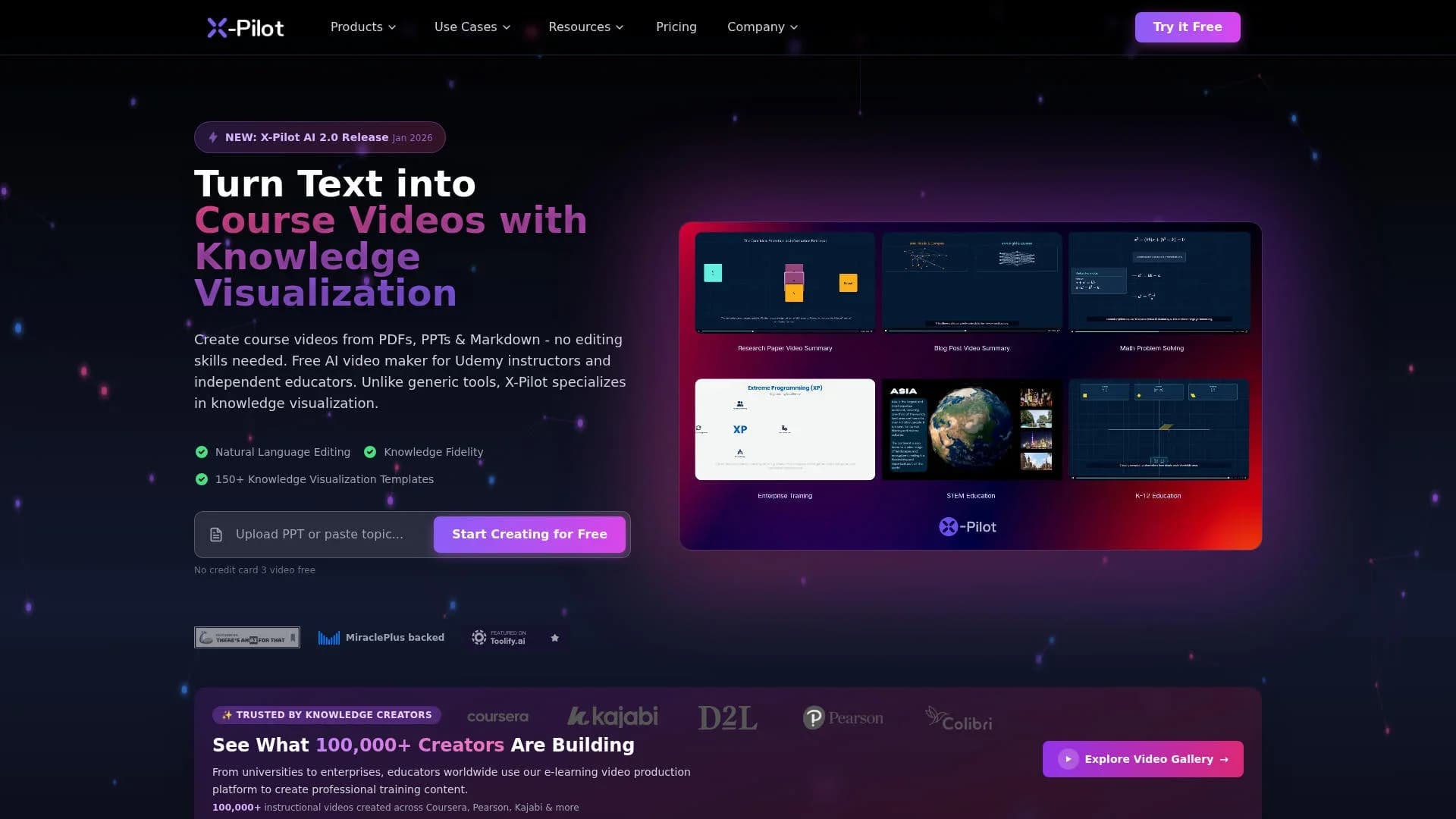
X-Pilot AI focuses on turning documents and text-based knowledge into structured educational videos with an emphasis on knowledge visualization rather than talking-head avatars. It ingests PDFs, PPTs, Word files, Markdown, URLs, and scripts, then uses AI to plan course outlines, scripts, visuals, and narration. The tool is aimed at Udemy instructors, academic staff, instructional designers, corporate training teams, and technical creators who want accurate, visually rich course content without learning traditional video-editing software.
X-Pilot AI differentiates itself by centering on knowledge visualization and instructional logic instead of avatars or generic stock footage. Its structured animation layer and large Motion Box library are tuned for explaining ideas clearly, from quantitative finance to molecular biology, while preserving formulas and reasoning from the source. The blend of document-first ingestion, educational course generation, and natural language editing gives subject-matter experts something closer to an AI production team than a simple text-to-video toy.
X-Pilot AI offers a focused path for turning expertise into high-quality course videos that prioritize clarity, structure, and correctness. For instructors, professors, technical teams, and training leaders who live in PDFs and slide decks, its document-first pipeline and Motion Box visuals can remove most of the production grind while keeping tight control over what is being taught. Those who need flashy marketing avatars may look elsewhere, but for education and training, X-Pilot AI stands out as a fast, thoughtful companion for building course-ready video libraries.
Who is Using X-Pilot AI?
Course Instructors and Online Educators
Building Udemy, Teachable, and Kajabi courses from syllabi, textbooks, and slide decks.
Academic Faculty and Universities
Turning lecture notes and research into MOOCs and flipped-classroom videos while keeping academic rigor intact.
Corporate L&D and HR Teams
Producing onboarding, compliance, and skills-training modules at scale across distributed workforces.
Developers and Technical Writers
Converting documentation, API guides, and code walkthroughs into explainer videos with syntax highlighting and architecture visuals.
SaaS and Product Marketers
Creating product demos and feature explainers that walk through workflows without needing full video crews.
Uncommon Use Cases
Used by vocational training centers in manufacturing and automotive sectors for SOP and safety content; adopted by solo knowledge bloggers repurposing long-form articles into micro-courses and shorts.
Key Features
Rating Breakdown
Pricing Plans
Free Tier
Free
- Course outlines
- Scripts
- Visual storyboards can be generated at no cost
- A limited monthly allowance of AI video creation minutes and no credit card required to start
Paid Export and Premium Usage
- HD and 4K exports without watermark
- Longer runtime
- Higher production volumes require a paid plan tied to exporting finished videos
- Though specific price points are not clearly published in the reviewed material
Which X-Pilot AI plan should you pick?
Start with the Free plan to test one complete video workflow, then upgrade to Creator for regular individual production or Business when you need shared credits and member management.
Free
Good for testing the full workflow with one video generation, editable scenes, preview, and MP4 export.
Creator
Good for independent creators who need 1,000 monthly credits, HD export, no watermark, custom branding, and three voice clones.
Professional
Good for advanced creators who need 3,000 monthly credits, complex video capabilities, and six voice clones.
Ultra
Good for power creators who need 9,000 monthly credits and priority support.
Business
Good for teams that need 12,000 shared monthly credits, an owner plus two included members, and management for up to 50 members.
X-Pilot AI Use Cases
Document-to-training video
Upload an SOP, handbook, policy, or training document, review the proposed scenes, and export the approved project.
Outcome: A narrated MP4 training video based on the supplied source material.
Syllabus-to-course series
Create a chapter outline, select chapters, and generate one independent video project for each selected chapter.
Outcome: An organized series of chapter videos.
Certification preparation
Use certification blueprints or study documents as source context and review chapter coverage, narration, and visuals.
Outcome: Reviewable certification-prep video modules.
Bilingual or multilingual training
Create localized projects from translated scripts and select target-language voices, then have qualified reviewers check each version.
Outcome: Language-specific training videos with consistent chapter structure.
Technical and programming education
Use code blocks, formulas, charts, and algorithm annotations to create explanatory programming or technical lessons.
Outcome: Animated technical lessons with synchronized code and knowledge visualizations.
Workflow Ideas with X-Pilot AI
Document to training video
- 1Upload a PDF, PowerPoint, Word document, Markdown file, or text source.
- 2Review and refine the generated outline and scenes in natural language.
- 3Preview, approve, export the MP4, and upload it manually to the destination.
Chapter-based course production
- 1Create or upload a syllabus and organize it into a chapter outline.
- 2Select chapters and create one independent editable project per chapter.
- 3Review each project and export the approved chapter videos.
Multilingual training rollout
- 1Create and review the source-language project.
- 2Prepare translated scripts and generate projects in the required target languages.
- 3Have qualified language reviewers verify narration, labels, scenes, and previews before export.
How X-Pilot AI fits into your stack
Browser
X-Pilot is a cloud-based studio where users create editable course and training video projects, review scenes, preview changes, and export MP4 files.
Knowledge and files
Users upload PDFs, PowerPoint files, Word documents, Markdown, plain text, URLs, or scripts. X-Pilot turns source material into editable outlines, scenes, narration, and visualizations.
Docs and writing
Technical documentation, API guides, research papers, syllabi, SOPs, and training manuals can be converted into reviewable video projects with natural-language scene editing.
Automation and APIs
Enterprise plans provide API-based workflows and integrations with Asana, Jira, Monday.com, Slack, and Zapier webhooks for task creation, status updates, triggers, and notifications.
Pros
- +Strong for instructional content: Built specifically for courses, tutorials, and corporate training where conceptual clarity and correctness outrank cinematic flair.
- +Serious time savings: Users report producing course videos many times faster than manual recording and editing, especially when starting from existing documents.
- +Low editing barrier: Natural language editing and prebuilt Motion Boxes reduce the need for timeline skills or motion-design experience.
- +Document-first workflow: Fits how educators and experts already work, turning notes, syllabi, and technical documentation directly into video lessons.
Cons
- −Less suited to on-camera branding: Creators seeking lifelike presenters or marketing-style spokesperson videos may find it narrower than avatar-focused tools.
- −Template-driven visual style: While Motion Boxes are editable, courses from different creators can feel visually similar unless users spend time customizing.
- −Limited public pricing detail: Public information emphasizes free generation and paid HD export, but clear rate tables for heavier or team usage are not easy to find.
Limitations & when to consider alternatives
Known limitations
- One free video generation. The free tier is limited to one video generation.
- Manual delivery to LMS platforms. The documented export is MP4, and users must upload the finished video manually to their LMS or course destination.
- Human review is required. Users must inspect the outline, scenes, narration, labels, formulas, and complete preview before exporting.
- Internet connection required. Document upload, AI generation, rendering, and export require the cloud-based platform and an internet connection.
- Spoken language cannot be changed in place. The prompt guide states that spoken language cannot be changed in place after a video is generated.
Look elsewhere when
- You need direct LMS, SCORM, or xAPI delivery.
- You need to convert videos into written SOP documents.
- You need an offline or locally installed editor.
How to Use X-Pilot AI
- 1
Create an account
Sign up at app.x-pilot.ai and start with the free entry point or select a paid plan.
- 2
Add a topic or source
Enter a topic or upload supported source material so X-Pilot can structure the project around your content.
- 3
Review the outline
Inspect, reorder, add, or remove topics and chapters before scene generation proceeds.
- 4
Refine scenes in plain language
Describe changes such as adjusting narration, adding pauses, changing visual elements, or revising scene content.
- 5
Preview and verify
Play the generated preview and check factual claims, labels, formulas, narration, and visual accuracy against the source.
- 6
Export and distribute
Export the approved project as an MP4 and upload it manually to the LMS, course marketplace, or other video destination.
Who is X-Pilot AI For?
Course creators
They can turn syllabi, lesson plans, and source documents into editable course-video projects and chapter-based series.
Teachers and professors
They can create narrated educational videos with formulas, diagrams, charts, code, and other knowledge visualizations.
Corporate trainers and L&D leads
They can convert SOPs, policies, standards, and onboarding materials into reviewable training videos.
Instructional designers
They can structure source material into editable outlines and scenes while retaining review control before export.
Researchers and product teams
They can explain technical and knowledge-heavy subjects using code-rendered visualizations and multilingual narration.
Frequently Asked Questions
What is X-Pilot?
X-Pilot is AI video production software for courses and training. It turns topics or supported source materials into editable outlines, scenes, narrated videos, and MP4 exports.
What files can I upload?
X-Pilot supports PDF, PowerPoint, Word, Markdown, MDX, plain text, URLs, and pasted text. The FAQ lists PDF documents up to 200 pages and 100MB.
Can I edit videos after generation?
Yes. Users can review the outline and scenes, describe revisions in natural language, regenerate previews, and export the approved project.
What does X-Pilot export?
The confirmed export format is MP4. Users upload the finished file manually to an LMS, marketplace, or other video destination.
Does X-Pilot support SCORM or direct LMS integration?
No confirmed SCORM, xAPI, grade passback, or direct LMS integration is claimed. The documented delivery path is MP4 export followed by manual upload.
Is there a free plan?
Yes. The free tier includes one video generation without requiring a credit card.
Community reviews
Be the first to share your experience.
Sign in to leave a review for X-Pilot AI.
X-Pilot AI Alternatives
Looking for alternatives to X-Pilot AI? Here are similar tools in the same category:
Learn to Master X-Pilot AI
With Skill Leap courses
Get in-depth training on X-Pilot AI and 50+ other AI tools with our expert-led video courses.
Start 7-Day Free Trial