Xpress AI
AI coworkers that remember project context and keep team tasks moving.
Key Takeaways
- What it is
- AI coworkers that remember project context and keep team tasks moving.
- Pricing
- $299 per month · $699 per month · $1,299 per month · $2,499 per month
- Best for
- Persistent AI coworkers
- Tasks and schedules
- Knowledge bases
- Rating
- 4.0/5
What is Xpress AI?
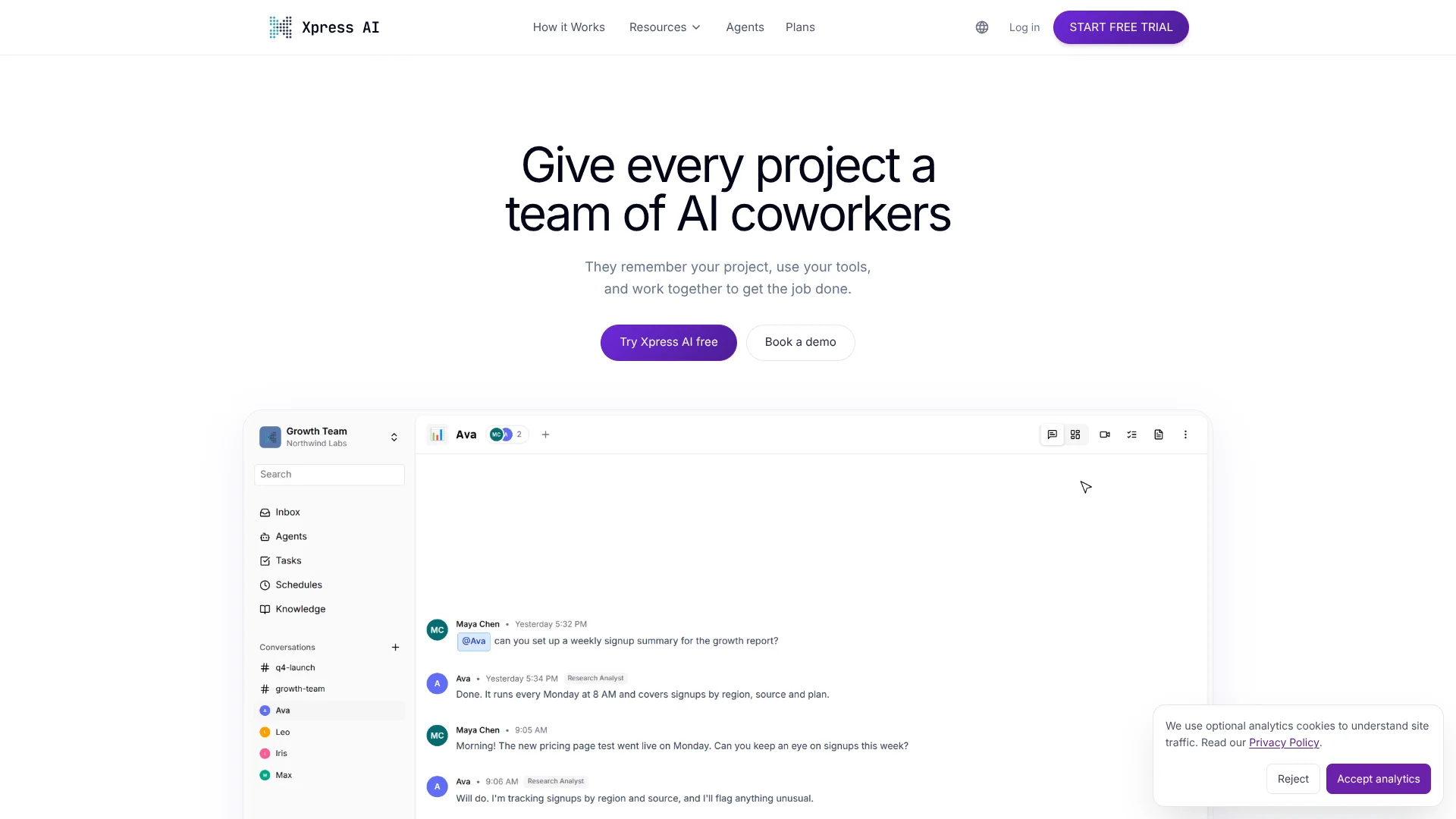
Xpress AI gives teams named AI coworkers that retain project knowledge and task progress between conversations. A coworker can connect to services such as GitHub or Slack, handle assigned work, and keep decisions and open tasks with the project. It is built for teams that want AI to take part in ongoing work, not only answer one-off questions.
A coworker deployed to a shared Slack channel keeps its role, project context, permissions, and task state in Xpress AI, so teammates can steer and review its work together.
Sales, engineering, and customer operations teams are the clearest fit, with templates and starter teams for those kinds of work. The main tradeoff is cost: paid plans start at $299 per month, so it is better suited to teams with recurring work to delegate than to someone seeking occasional AI answers.
Who is Using Xpress AI?
Software developers
GitHub-connected agents can inspect repositories and help with repository and pull-request tasks.
Sales development representatives
A sales coworker can handle recurring outreach and task follow-up using its configured tools.
DevOps engineers
Scheduled jobs and connected infrastructure services can support repeatable operational tasks.
Customer operations managers
Shared knowledge and tracked tasks help teams carry customer work across conversations.
Uncommon Use Cases
A researcher can keep project findings and open tasks together; an HR team can start from a role-based agent template.
Key Features
Rating Breakdown
Pricing Plans
Pro
$299 per month
- 3 Standard Agent slots
- All integrations
- Chat, voice, and email
- Task management
- 3GB knowledge storage
Team
$699 per month
- 6 Standard Agent slots
- Preconfigured starter teams
- Desktop automation
- Shared knowledge base
- 25GB storage
Crew
$1,299 per month
- 12 Standard Agent slots
- Everything in Team
- Multi-team coordination
- Advanced workflows
- 100GB storage
Business
$2,499 per month
- 24 Standard Agent slots
- Everything in Crew
- Priority support
- Custom integrations
- 200GB storage
- $100 per additional Standard Agent slot per month beyond the included 24
Enterprise & On-Premise Deployment
- On-premise or private cloud deployment
- Bring your own API keys option
- Custom integrations and API access
- Dedicated account management
- SLA guarantees and priority support
Which Xpress AI plan should you pick?
Try the 14-day Pro trial first, then choose a paid plan based on how many agent slots and how much shared capacity your team needs.
Pro
Good for a small team testing up to three Standard Agent slots with integrations, chat, voice, email, and task management.
Team
Good for a department that wants six slots, a preconfigured starter team, desktop automation, and a shared knowledge base.
Crew
Good for multiple departments that need 12 slots and cross-team agent coordination.
Business
Good for a larger workforce starting with 24 slots, priority support, custom integrations, and 200GB of storage.
Enterprise & On-Premise Deployment
Good for organizations that need on-premise or private cloud deployment, dedicated support, or advanced security and compliance features.
Xpress AI Use Cases
Continue project work across sessions
Project context and open tasks remain available when a team returns to an AI coworker.
Outcome: Less repeated context-setting between conversations.
Delegate recurring operational tasks
Scheduled jobs let agents run recurring work on a timetable.
Outcome: Routine work can run without a new message each time.
Work with connected repositories
A GitHub-connected agent can list repositories, read files, and perform repository operations.
Outcome: Repository work can happen through an agent with configured access.
Coordinate work in Slack
Named coworkers can join shared Slack channels where multiple teammates can mention and review them.
Outcome: The team can collaborate with the same coworker in a shared channel.
Search team documents
A knowledge base lets agents search uploaded documents for relevant project information.
Outcome: Agents can draw on team documents when working on a task.
Workflow Ideas with Xpress AI
Recurring repository review
- 1Connect GitHub and grant access to the repositories the agent needs.
- 2Configure the agent's role and task instructions.
- 3Schedule recurring work and review task progress.
Shared customer operations coworker
- 1Deploy a Customer Ops starter team.
- 2Add relevant documents to a shared knowledge base.
- 3Bring the coworker into a Slack channel for team direction and review.
Scheduled document updates
- 1Connect the required document service.
- 2Set up an agent task and recurring schedule.
- 3Review the execution history and any work waiting for input.
How Xpress AI fits into your stack
Project work
Projects keep conversations, decisions, and open tasks together so coworkers can resume work with context.
Team communication
Coworkers can join Slack channels, and the platform also offers chat, voice calls, and email.
Knowledge and files
Upload documents to a knowledge base for agents to search during project work.
Connected services
Integrations include GitHub, Google Workspace, Atlassian, AWS, Microsoft, Slack, and other services.
Automation and APIs
Scheduled jobs and the platform API support recurring or programmatically managed tasks.
Computer-based tasks
Cloud desktop automation lets agents interact with software through screenshots and clicks.
Pros
- +Project continuity: Conversations, decisions, and task progress stay with the project.
- +Shared AI coworkers: Multiple teammates can steer and review a coworker in a shared Slack channel.
- +Scheduled work: Recurring jobs can run on a schedule rather than waiting for a prompt.
- +Broad tool connections: Integrations include GitHub, Slack, Google Workspace, Atlassian, AWS, and Microsoft.
Cons
- −High entry price: The first paid plan costs $299 per month.
- −Agent-slot budgeting: Pro and Max agents use more than one Standard Agent slot.
- −Setup decisions: Teams need to choose tools, knowledge, and permissions for each coworker.
Limitations & when to consider alternatives
Known limitations
- Workspace-level integration access. Connected credentials are shared across projects in a workspace; per-project credential overrides are not currently available.
- Three Standard Agent slots on Pro. The Pro plan includes three slots, and Pro or Max agents consume two or three slots respectively.
- Storage varies by plan. The listed storage ranges from 3GB on Pro to 200GB on Business.
Look elsewhere when
- You need a free ongoing plan rather than a 14-day trial.
- You need a native mobile app or browser extension.
- Your team needs separate integration credentials for each project in one workspace.
How to Use Xpress AI
- 1
Start the trial
The 14-day Pro trial includes three Standard Agent slots, integrations, chat, voice, and email, with no credit card required.
- 2
Choose an agent or starter team
Start from a role-based template or choose a preconfigured team for Sales & Growth, Engineering, or Customer Ops.
- 3
Set the coworker's role
Configure its tools, knowledge, and permissions around the work it should handle.
- 4
Connect team services
Add integrations such as GitHub, Slack, or Google Workspace so the agent can work with the services it needs.
- 5
Assign and track work
Create tasks, follow progress through subtasks, and handle requests that need your input.
- 6
Add a schedule if work repeats
Set up a recurring job and check its execution history to review what the agent did.
Who is Xpress AI For?
Sales & Growth teams
A preconfigured starter team and connected tools can support recurring sales and growth work.
Engineering teams
Agents can work with GitHub and scheduled tasks while keeping project context between sessions.
Customer Ops teams
Starter teams, shared knowledge, and tracked tasks suit customer operations that follow repeatable processes.
Developers
The platform API, custom agent tools, and Xircuits workflows support teams building tailored agent processes.
Cross-functional teams
Crew and Business plans support agents sharing knowledge and coordinating across departments.
Frequently Asked Questions
Does Xpress AI have a free plan?
The pricing page lists a 14-day Pro trial with three Standard Agent slots and no credit card required. It does not list a free ongoing plan.
How much does Xpress AI cost?
The listed monthly plans are Pro at $299, Team at $699, Crew at $1,299, and Business at $2,499. Enterprise and on-premise deployment are available by contacting sales.
Which integrations does Xpress AI support?
Listed integrations include GitHub, Slack or Teams, Google Workspace, Atlassian, SendGrid, Telegram, Twilio, AWS, and Microsoft.
Can Xpress AI automate recurring work?
Yes. Agents can run scheduled jobs, and tasks can be assigned and tracked through subtasks.
Does Xpress AI provide an API?
Yes. The platform documents REST and GraphQL APIs, API tokens, and programmatic task management.
Community reviews
Be the first to share your experience.
Sign in to leave a review for Xpress AI.
Xpress AI Alternatives
Looking for alternatives to Xpress AI? Here are similar tools in the same category: