
ZenAI
Turn chats into nonstop email and file automation.
Key Takeaways
- What it is
- Turn chats into nonstop email and file automation.
- Pricing
- Freemium · $19.90 per month · $16.58 per month · $9.90 · $39 · $129
- Best for
- Conversation-to-workflow automation
- Always-on agent execution
- Skill-based design
- Rating
- 4.2/5
What is ZenAI?
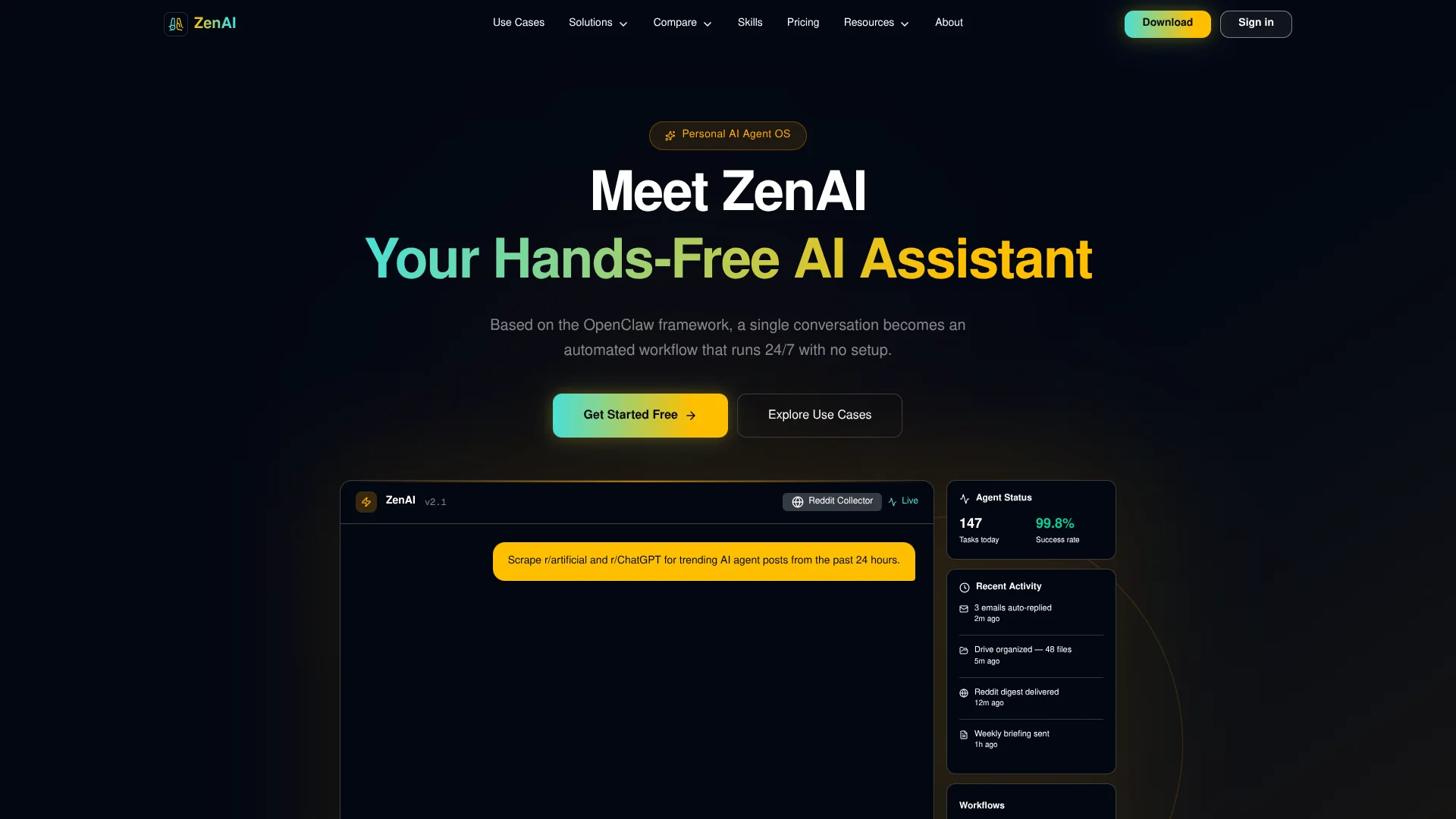
ZenAI is a hands-free AI assistant and personal agent OS that turns simple conversations into autonomous workflows running around the clock with minimal setup. Built on top of the open-source OpenClaw project, it focuses on doing ongoing work rather than just answering questions. From auto-replying to email and organizing cloud files to collecting Reddit digests and sending regular briefings, ZenAI behaves like a tireless digital intern that keeps executing tasks in the background for individuals and small teams.
ZenAI stands out by treating the assistant like a personal operating system for AI, not just a chat box. Conversations give birth to long-running automations that keep handling email, files and information feeds with little ongoing attention. Because it sits on top of the OpenClaw project, it can inherit mature agent behavior while presenting a cleaner, less technical experience aimed at everyday productivity rather than developer tinkering.
Who is Using ZenAI?
Knowledge workers and professionals
Using it to triage email, summarize feeds and send daily or weekly briefings.
Solo founders and indie hackers
Letting an autonomous assistant monitor Reddit, competitors and documents while they build products.
Content creators and social media managers
Auto-collecting Reddit posts and links to turn into content ideas and newsletters.
Small teams and operations leads
Keeping shared drives tidy and pushing regular updates to team communication tools or inboxes.
Uncommon Use Cases
Adopted by productivity enthusiasts as a personal research librarian, and by online communities that auto-curate topic-specific Reddit digests.
Key Features
Rating Breakdown
Pricing Plans
Free
Free
- 100 one-time credits, 1 concurrent task, and 1 scheduled task
Monthly
$19.90 per month
- 4,000 credits per month, 20 concurrent tasks, 20 scheduled tasks, full product access, and 24/7 AI assistant access
Yearly
$16.58 per month
- Billed as $199 per year, includes 4,000 credits per month plus 3,000 bonus lifetime credits, 20 concurrent tasks, 20 scheduled tasks, and full product access
Small Credit Pack
$9.90
- One-time
- 1,000 lifetime credits
Medium Credit Pack
$39
- One-time
- 5,000 lifetime credits
Large Credit Pack
$129
- One-time
- 20,000 lifetime credits
Which ZenAI plan should you pick?
Start with Free to test the assistant using 300 credits; upgrade to Monthly for recurring usage or Yearly for lower effective cost and bonus credits.
Free
Good for trying ZenAion with 300 one-time credits, one concurrent task, and one scheduled task.
Monthly
Good for regular users who need 4,000 credits monthly, full product access, and 20 concurrent and scheduled tasks.
Yearly
Good for long-term users who need 4,000 monthly credits plus 3,000 bonus lifetime credits.
ZenAI Use Cases
Code automation
Automate code review, test generation, and refactoring.
Outcome: Continuous software-development workflow optimization.
Smart file management
Rename files in batches, organize folders, and convert formats.
Outcome: More efficient digital asset management.
Smart email triage
Filter spam, track orders, schedule reminders, and create GitHub issues.
Outcome: Streamlined email and task management.
Morning briefing rollup
Combine Gmail and calendar information into a scheduled daily digest.
Outcome: A recurring morning productivity briefing.
Automated grocery ordering
Use browser automation, credential management, and multifactor authentication for grocery shopping.
Outcome: Hands-free online grocery ordering.
Workflow Ideas with ZenAI
Hands-Free Automation That Turns Chat Into Ongoing Workflows
- 1For anyone who already lives in email, cloud storage and online feeds, ZenAI offers a practical way to put an autonomous AI agent to work without sitting in a chat window all day. By converting friendly natural language instructions into long-running jobs and surfacing their status clearly, it can cut down on everyday digital busywork. ZenAI will appeal most to early adopters and productivity-focused professionals who want genuine automation that quietly gets things done in the background.
How ZenAI fits into your stack
Browser
ZenAion provides WebChat plus a built-in browser agent that can browse pages, fill forms, and extract website data.
Team chat and tickets
It connects to team communication surfaces including Slack, Microsoft Teams, Discord, Telegram, and WhatsApp, where users can interact with the assistant and automate work.
Automation and APIs
ZenAion turns conversational instructions into recurring workflows using scheduled tasks, cron, webhooks, Gmail triggers, and browser control.
Desktop / IDE
It runs locally on macOS, Windows, and Linux, with file access, shell commands, scripts, code review, test generation, and refactoring workflows.
Knowledge and files
ZenAion processes PDFs, Word documents, presentations, spreadsheets, datasets, and images, while connecting to knowledge tools such as Notion, Obsidian, Bear, and GitHub.
Pros
- +Hands-free productivity boost: Offloads repetitive digital chores so users can stay focused on higher value work.
- +Natural language setup: Workflows start from a plain conversation instead of forms, cron jobs or glue code.
- +Powered by OpenClaw: Built on an active open-source project, which tends to ship improvements and new integrations quickly.
- +Clear feedback loop: Recent activity and success metrics help users trust that automation is running correctly.
Cons
- −Limited public documentation today: The marketing site gives only high-level detail, so some behavior may require experimentation.
- −Desktop-style install: Requires downloading a dedicated app instead of running entirely in the browser, which some users may dislike.
- −Pricing transparency: Navigation hints at paid tiers, but concrete plan names and prices are not clearly listed upfront.
Limitations & when to consider alternatives
Known limitations
- Free usage is limited. The Free plan provides a one-time 300-credit allocation.
- Free plan task limits. Free users receive one concurrent task and one scheduled task.
- Usage consumes credits. Credit usage varies with task complexity, execution flow, and model usage.
- AI capabilities require credits. Skills are free to install, but using AI capabilities consumes credits.
- No documented ZenAI developer API. The official integration catalog documents connected services and model providers but not a ZenAI API with endpoints or keys.
Look elsewhere when
- You need a documented developer API with endpoints and API keys.
- You need fine-tuning or model-weight training.
- You need a dedicated browser extension.
How to Use ZenAI
- 1
Start ZenAion
Launch ZenAion Cloud or install it on your own server, then send your first message.
- 2
Configure the assistant
Define personality, user context, and behavioral boundaries using SOUL.md, USER.md, and AGENTS.md.
- 3
Connect your tools
Connect Gmail, Google Calendar, web search, browser control, and messaging platforms.
- 4
Install skills
Browse the skill marketplace or tell ZenAion to install a skill pack.
- 5
Create workflows
Combine skills for multi-step tasks such as email triage, file management, or automated shopping.
- 6
Schedule proactive work
Configure heartbeat mechanisms, Cron tasks, and memory so the assistant runs tasks proactively.
Who is ZenAI For?
Developers
Use code automation, debugging, deployment, scraping, diagram generation, and developer integrations.
Productivity users
Automate file management, calendars, email, summaries, task routing, and personal organization.
Individuals and families
Use personal assistants, WhatsApp bots, meal planning, home projects, and family-oriented workflows.
Automation users
Build scheduled, browser-driven, email-triggered, webhook-triggered, and multi-step workflows.
Creative professionals
Use media production, transcription, text-to-speech, image tools, and social media workflows.
Frequently Asked Questions
What is ZenAion?
ZenAion is a personal AI agent OS with long-term memory, workflow automation, and connected tools.
How is ZenAion different from ChatGPT?
ZenAion remembers users, executes tasks automatically, connects to tools, stays online, and can operate a computer.
What kind of computer is required?
Any machine that can run a browser is supported, including MacBook, Windows laptops, and Raspberry Pi. No GPU is required.
Is my data secure?
ZenAion states that memory is encrypted in transit and at rest, scoped per user, and exportable or deletable.
Do skills cost extra?
Skills are free to install, but AI capabilities consume credits.
Which messaging platforms are supported?
Supported platforms include WhatsApp, Telegram, Discord, and Slack.
Community reviews
Be the first to share your experience.
Sign in to leave a review for ZenAI.
ZenAI Alternatives
Looking for alternatives to ZenAI? Here are similar tools in the same category:
Learn to Master ZenAI
With Skill Leap courses
Get in-depth training on ZenAI and 50+ other AI tools with our expert-led video courses.
Start 7-Day Free Trial