Zero GPT
Check whether writing may be AI-generated, down to individual sentences.
Key Takeaways
- What it is
- Check whether writing may be AI-generated, down to individual sentences.
- Pricing
- Freemium
- Best for
- AI/GPT Detector
- PDF Detection Reports
- Batch File Checks
- Rating
- 3.8/5
What is Zero GPT?
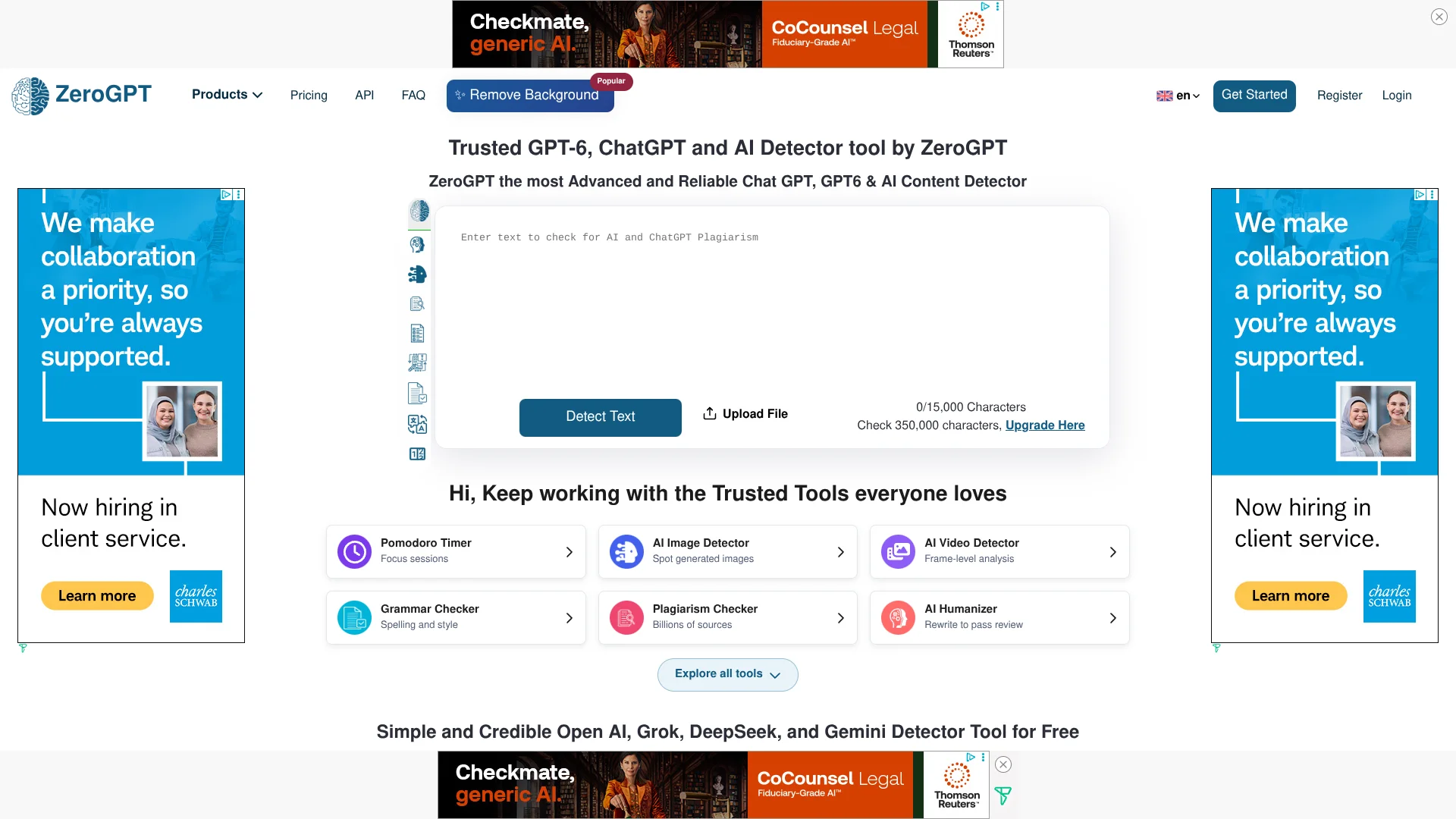
ZeroGPT marks text that may have been written by AI, showing likely AI-written sentences and an estimated share of AI-generated text. Educators, businesses, and creators can use it to review writing, then turn to its paraphraser, summarizer, grammar checker, and other writing tools for follow-up work.
Its AI detector reports results at the document, paragraph, and sentence level, and can create a PDF report for a detection. That gives reviewers specific passages to examine instead of only a single overall score.
ZeroGPT is a fit for people checking writing authorship or handling routine editing and text review. A detector result is a signal, not proof of who wrote something, so its findings are best considered alongside other evidence.
Who is Using Zero GPT?
Teachers
Use sentence-level results as one signal when reviewing student work, alongside classroom policies and other evidence.
Editors
Flag passages for closer review and keep a PDF report of a detection.
Content Managers
Check batches of submitted text as part of editorial quality review.
Software Developers
Connect detection or selected text tools to a custom service through the API.
Uncommon Use Cases
Check vendor submissions for possible AI-written passages; use the translator and grammar checker when preparing text for another language.
Key Features
Rating Breakdown
Pricing Plans
Free
Free
- No credit card required.
Enterprise
- Enterprise subscription and user-management dashboard.
Which Zero GPT plan should you pick?
Start with Free to try the tools, and consider Enterprise if your organization needs a managed subscription and user dashboard.
Free
Good for individuals who want to try ZeroGPT's detection and writing tools without paying.
Enterprise
For organizations seeking an enterprise subscription and user-management dashboard; contact ZeroGPT for a quote.
Zero GPT Use Cases
Reviewing Student Writing
A teacher can inspect highlighted passages and consider them alongside the student's writing history and school policy.
Outcome: A more informed review than relying on a single detector score.
Editorial Content Checks
Editors can screen drafts and flag likely AI-written passages for a closer look.
Outcome: Passages needing human review are easier to locate.
Batch Document Screening
Several files can be checked through the dashboard rather than one at a time.
Outcome: Detection results for multiple files.
Adding Detection to a Custom Service
A developer can call the API to submit text or files for AI detection.
Outcome: AI detection integrated into a custom solution.
Polishing a Draft
A writer can check grammar, paraphrase wording, or summarize text after reviewing it.
Outcome: Edited or shortened text using ZeroGPT's writing tools.
Workflow Ideas with Zero GPT
Review a Writing Submission
- 1Submit the text to the AI/GPT Detector.
- 2Review the flagged sentences and probability details.
- 3Consider the result alongside other evidence and relevant policy.
Screen a Batch of Documents
- 1Open the detection tool in the dashboard.
- 2Upload multiple files for batch checking.
- 3Review the results and save a PDF report when needed.
Connect Detection to a Service
- 1Sign in and add funds to the API balance.
- 2Create an API key and set an IP whitelist in the dashboard.
- 3Follow the API documentation to submit text or files.
How Zero GPT fits into your stack
Web dashboard
The site is the main place to check text, upload batches of files, and review detection history.
Writing and review
Paraphrasing, summarizing, grammar checks, translation, and plagiarism checks cover common text-review tasks.
Custom software
The documented API supports AI detection and selected writing tools for custom integrations.
Messaging apps
ZeroGPT says its chatbot and selected tools are available through WhatsApp and Telegram after account setup.
Pros
- +Sentence-level results: Reviewers can see which passages contributed to a detector result.
- +PDF reports: Detection findings can be saved in a shareable report.
- +Useful writing tools: Paraphrasing, summaries, translation, and grammar checks sit alongside detection.
- +Language support: The company says its detector supports multiple languages.
Cons
- −Not proof of authorship: The FAQ recommends treating detector results as evidence to consider, not a final judgment.
- −Free-tier cap: The homepage lists a 15,000-character limit per AI detection.
Limitations & when to consider alternatives
Known limitations
- API setup requires account configuration. API users need to fund their balance, create an API key, and set an IP whitelist in the dashboard.
- Detection has a free-tier character cap. The homepage lists a maximum of 15,000 characters per AI detection on the free offering.
Look elsewhere when
- You need a detector result that can serve as conclusive proof of authorship.
- You need a native desktop or mobile app.
How to Use Zero GPT
- 1
Choose a tool
Open AI/GPT Detector for authorship signals, or select a writing tool such as the Summarizer or Grammar Checker.
- 2
Add text or files
Paste text or upload a supported file; the FAQ lists text, DOCX, and text-based PDF for its writing tools.
- 3
Review the result
For detection, inspect the highlighted sentences and statistics rather than treating the overall score as a final conclusion.
- 4
Save or revise
Generate a PDF detection report when needed, or use a writing tool to revise or shorten the text.
- 5
For API access
Fund the API balance, create a key, set an IP whitelist, and follow the official API documentation.
Who is Zero GPT For?
Educators
Review student writing for passages that may need a closer, fairer authorship discussion.
Businesses
Check submitted or published text as part of content review.
Creators
Check drafts and polish wording with the site's writing tools.
Frequently Asked Questions
Does ZeroGPT have a free plan?
Yes. Its pricing page lists a free plan at $0 forever, with no credit card required.
Can I upload documents?
Yes. The FAQ lists text, DOCX, and text-based PDF as supported file types for its writing tools.
Does ZeroGPT have an API?
Yes. Its documented API includes AI detection and file-detection endpoints, with selected writing tools also listed on the site.
Can teams manage users?
ZeroGPT's FAQ says teams can use seat management, consolidated billing, and admin invitations.
Does ZeroGPT support multiple languages?
Yes. The site says its detector supports multiple languages, and its translator handles text across languages.
Should a detector result be treated as proof?
No. ZeroGPT's FAQ advises using detection as evidence within a fair review process, not as the only basis for a decision.
Community reviews
Be the first to share your experience.
Sign in to leave a review for Zero GPT.
Zero GPT Alternatives
Looking for alternatives to Zero GPT? Here are similar tools in the same category: