
Zocks
Automates advisor meeting notes, email, forms.
Key Takeaways
- What it is
- Automates advisor meeting notes, email, forms.
- Pricing
- $80 per user per month · $140 per user per month · $220 per user per month · $67 per user per month
- Best for
- Zocks Meetings
- Zocks Forms
- Zocks Email
- Rating
- 4.4/5
What is Zocks?
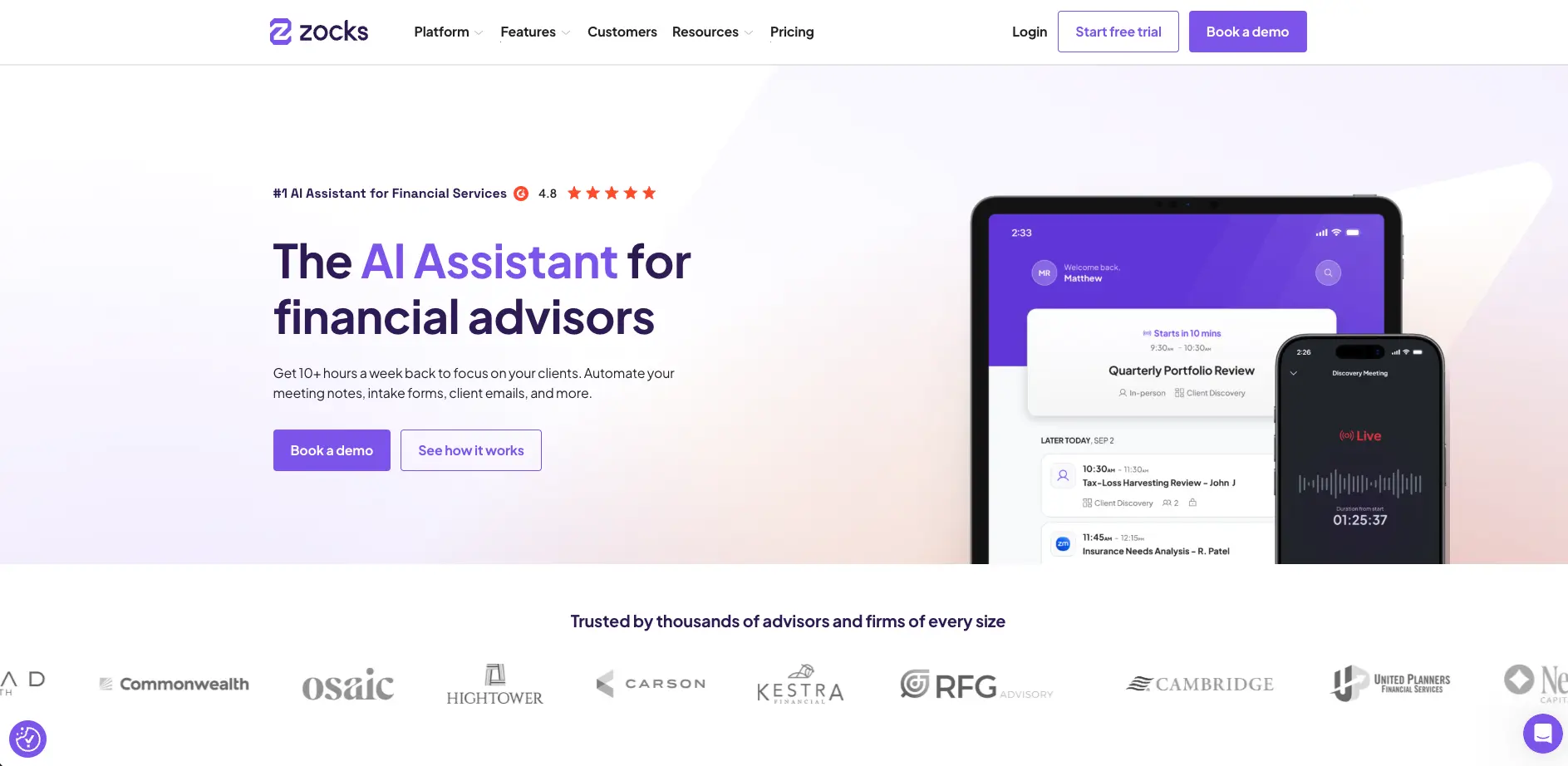
Zocks is an AI assistant for financial advisors that automates meeting notes, client emails, forms, and CRM updates so advisory teams can reclaim hours of admin work each week. It targets solo advisors, independent RIAs, broker-dealer networks, and large enterprises that need privacy-first workflows and tight compliance. By turning client conversations, documents, and emails into structured data across the wealth stack, it gives firms a live view of client needs and opportunities.
Zocks stands out by combining AI meeting automation with financial-services-grade privacy and compliance, then pushing beyond note-taking into client intelligence. Features like Client Queries and Zocks MCP turn advisor conversations into a structured dataset that powers opportunity detection, training, and analytics, all inside a platform that large institutions are comfortable rolling out across thousands of regulated users.
Zocks delivers clear value for financial advisory teams that want AI to handle meeting prep, notes, documentation, and routine client communication without risking compliance or data control. It is best suited to established practices and enterprises that can fully use its integrations, analytics, and governance features. For firms willing to invest at its price point, it turns everyday client conversations into a reliable engine for service, growth, and training.
Who is Using Zocks?
Independent financial advisors and RIAs
Capture discovery and review meeting details, automate follow-up, and keep CRM and planning tools updated without extra typing.
Enterprise broker-dealer and RIA platforms
Deploy standardized note-taking, compliance-ready documentation, and analytics across large advisor networks.
Operations and client service teams
Use form automation, document extraction, and email drafts to speed onboarding and service requests.
Associate advisors and trainees
Rely on meeting scorecards, agendas, and coaching tools to learn how top advisors structure conversations.
Data and analytics teams
Feed structured client-conversation data into warehouses and dashboards to track life events, pipeline, and service levels.
Uncommon Use Cases
Using topic analytics to guide marketing content and webinar themes; spotting cross-office training needs by comparing meeting scorecards.
Key Features
Rating Breakdown
Pricing Plans
Essentials
$80 per user per month
- Billed monthly, includes meeting preparation, AI note-taking, CRM integration, financial planning, portfolio management and tax planning integrations, pre-meeting and follow-up emails, and unlimited meetings
Professional
$140 per user per month
- Billed monthly, includes everything in Essentials plus Zocks MCP, form autofill, reporting and analytics, client profiles, advisor coaching center, team collaboration, dedicated admin assistant seats, premium support, and 1 personalized onboarding session
Ultimate
$220 per user per month
- Billed monthly, includes everything in Professional plus automated client email replies, document data extraction and sync, Zapier workflow automation, 3 personalized onboarding sessions, and upcoming automated meeting scheduling and client reports
Annual Billing
$67 per user per month
- Professional at $117 per user per month
- Ultimate at $184 per user per month
Which Zocks plan should you pick?
Start with Essentials for meeting notes and integrations, upgrade to Professional for team workflows, or choose Ultimate for document intelligence and advanced automation.
Essentials
Good for advisors who need meeting preparation, AI note-taking, CRM and planning integrations, emails, and unlimited meetings.
Professional
Good for teams who need client profiles, team collaboration, form filling, reporting, coaching, and broader workflow automation.
Ultimate
Good for firms that need advanced client-servicing workflows, native scheduling, Document Intelligence, Zapier automation, and expanded integrations.
Enterprise Platform
Good for large organizations that need custom policies, custom security contexts, proprietary integrations, and deployments across thousands of advisors.
Zocks Use Cases
Meeting preparation
Review client history, goals, action items, and discussion topics before a meeting.
Outcome: Advisors arrive prepared with relevant client context.
Automated meeting documentation
Capture conversations and generate structured notes, tasks, summaries, and follow-up emails.
Outcome: Less manual documentation after client meetings.
Client document processing
Upload tax documents, statements, estate plans, contracts, and other files for extraction and summarization.
Outcome: Key data can be reviewed and synchronized to connected systems.
Form filling and onboarding
Use client conversations and connected-system data to populate intake, fact-finder, account, tax-planning, or estate-planning forms.
Outcome: Recurring data-entry workflows become faster and more consistent.
Conversation-driven client workflows
Detect client signals such as life events, milestones, and opportunities, then trigger CRM, Zapier, or internal workflows.
Outcome: Relevant follow-up actions can begin automatically after conversations.
Workflow Ideas with Zocks
Post-meeting CRM update
- 1Capture and process the client meeting with Zocks
- 2Generate notes, action items, and follow-up email
- 3Sync meeting results and tasks to the connected CRM
Document-to-client-record workflow
- 1Upload a client PDF, DOCX, XLSX, PNG, or JPEG file
- 2Let Document Intelligence categorize, summarize, and extract fields
- 3Review the results and sync them to CRM, planning, or portfolio systems
Client-signal automation
- 1Capture a life event, milestone, or opportunity from a conversation
- 2Sync the Client Signal to the CRM
- 3Trigger a Zapier workflow or assigned follow-up task
How Zocks fits into your stack
Browser
Zocks is accessed as a web-based platform for meeting preparation, AI note-taking, client profiles, queries, analytics, and workflow management.
Docs and writing
Document Intelligence processes PDFs, Word documents, scans, and photos, while Zocks generates meeting notes, forms, follow-up emails, and client-email replies. Native Outlook and Gmail experiences extend these workflows into email.
Automation and APIs
Zocks provides REST APIs and OAuth-based custom apps for integrations, plus Zapier automation connecting Zocks to more than 8,000 tools.
Knowledge and files
Uploaded financial documents are summarized and converted into structured client data, with extracted fields synchronized to CRM, planning, portfolio, and tax systems.
Pros
- +Purpose-built vertical focus: Designed specifically for financial services, with workflows tuned to advisory meetings, planning, and compliance.
- +Strong security posture: SOC 2 Type II, privacy-first design with no recordings kept, and granular controls over data residency, ownership, and access.
- +Meaningful time savings: Unlimited meetings and deep automation around prep, notes, forms, and follow-up can realistically save advisors many hours per week.
- +Scales to large enterprises: Supports rollouts to hundreds or thousands of advisors with central policies, reporting, and integration to data warehouses.
- +Rich training ecosystem: Webinars, Zocks Academy courses, and onboarding sessions help teams adopt advanced workflows, not just basic note-taking.
Cons
- −Narrow industry fit: Focus on wealth, planning, and insurance means it is not a generic meeting assistant for non-financial teams.
- −Premium pricing for small firms: Per-user pricing may feel high for early-stage or low-volume practices despite the time savings.
- −Some advanced workflows are pending: Certain Ultimate-tier features, such as automated scheduling and report creation, are still labeled as coming soon.
Limitations & when to consider alternatives
Known limitations
- Document Intelligence is limited to Ultimate. Uploaded-document processing is available exclusively in the Ultimate subscription tier, although lower-tier customers may receive a temporary Delta Trial.
- Uploaded document limits. Document uploads support up to 10 files per package, with individual files limited to 20 MB.
- Supported document formats are limited. The documented supported extensions are PNG, JPEG, PDF, DOCX, and XLSX.
- MCP access is read-only. External AI tools connected through Zocks MCP can read Zocks data but cannot create, edit, or delete content in Zocks.
- Sentiment analysis is English-only. Multilingual meeting processing is supported, but meeting sentiment analysis is available only for English meetings.
Look elsewhere when
- You need a free plan rather than a time-limited trial.
- You need a downloadable Windows, Mac, or Linux desktop application.
- You need fine-tuning or model training on your own data.
- You need external AI tools to write changes back into Zocks through MCP.
How to Use Zocks
- 1
Create your account
Start the free trial or choose a paid plan, then sign in to the Zocks web platform.
- 2
Connect calendars and meeting providers
Connect Google Calendar or Outlook and configure Zoom, Google Meet, Webex, Microsoft Teams, or phone capture.
- 3
Connect your business systems
Add your CRM, financial planning, portfolio, document-management, email, and calendar integrations.
- 4
Configure templates and permissions
Customize meeting, email, form, and document templates, then configure user roles, groups, sharing, consent, and retention policies.
- 5
Prepare and run meetings
Use meeting preparation to review client context, then capture live, virtual, in-person, or phone conversations.
- 6
Review and synchronize results
Check notes, tasks, forms, summaries, and follow-up emails, then sync approved results to connected systems or trigger workflows.
Who is Zocks For?
Financial advisors
Zocks is built for financial advisors who need meeting preparation, notes, CRM updates, forms, and client follow-up.
Financial advisory firms
Firms can manage users, roles, sharing, templates, permissions, compliance policies, and firm-wide analytics.
Administrative assistants
Dedicated admin assistant seats support administrative and associate-advisor workflows without requiring those users to run meetings.
Compliance and supervision teams
Zocks provides consent tracking, audit logs, retention controls, access controls, PII redaction, and archive integrations.
Enterprise financial-services organizations
Enterprise customers can configure policies, custom security contexts, proprietary integrations, and large-scale deployments.
Frequently Asked Questions
Does Zocks record meetings?
Zocks is designed for AI meeting intelligence without storing meeting recordings. It processes virtual, in-person, and phone conversations.
How many meetings can I run with Zocks?
There is no stated limit on the number of meetings included with Zocks plans.
What integrations does Zocks support?
Zocks supports meeting providers such as Zoom, Google Meet, Webex, and Microsoft Teams, plus CRMs, planning systems, document storage, calendars, email, Zapier, and REST APIs.
Can Zocks process uploaded documents?
Document Intelligence can process tax documents, account statements, estate plans, risk profiles, intake documents, legal documents, contracts, and business documents.
Does Zocks support multilingual meetings?
Zocks can detect spoken languages, configure fallback languages, and assign language preferences to contacts and meetings.
Does Zocks have a mobile app?
Zocks Mobile is available through the Apple App Store and Google Play and supports live meetings, upcoming meeting details, and participant management.
Community reviews
Be the first to share your experience.
Sign in to leave a review for Zocks.
Zocks Alternatives
Looking for alternatives to Zocks? Here are similar tools in the same category:
Learn to Master Zocks
With Skill Leap courses
Get in-depth training on Zocks and 50+ other AI tools with our expert-led video courses.
Start 7-Day Free Trial