
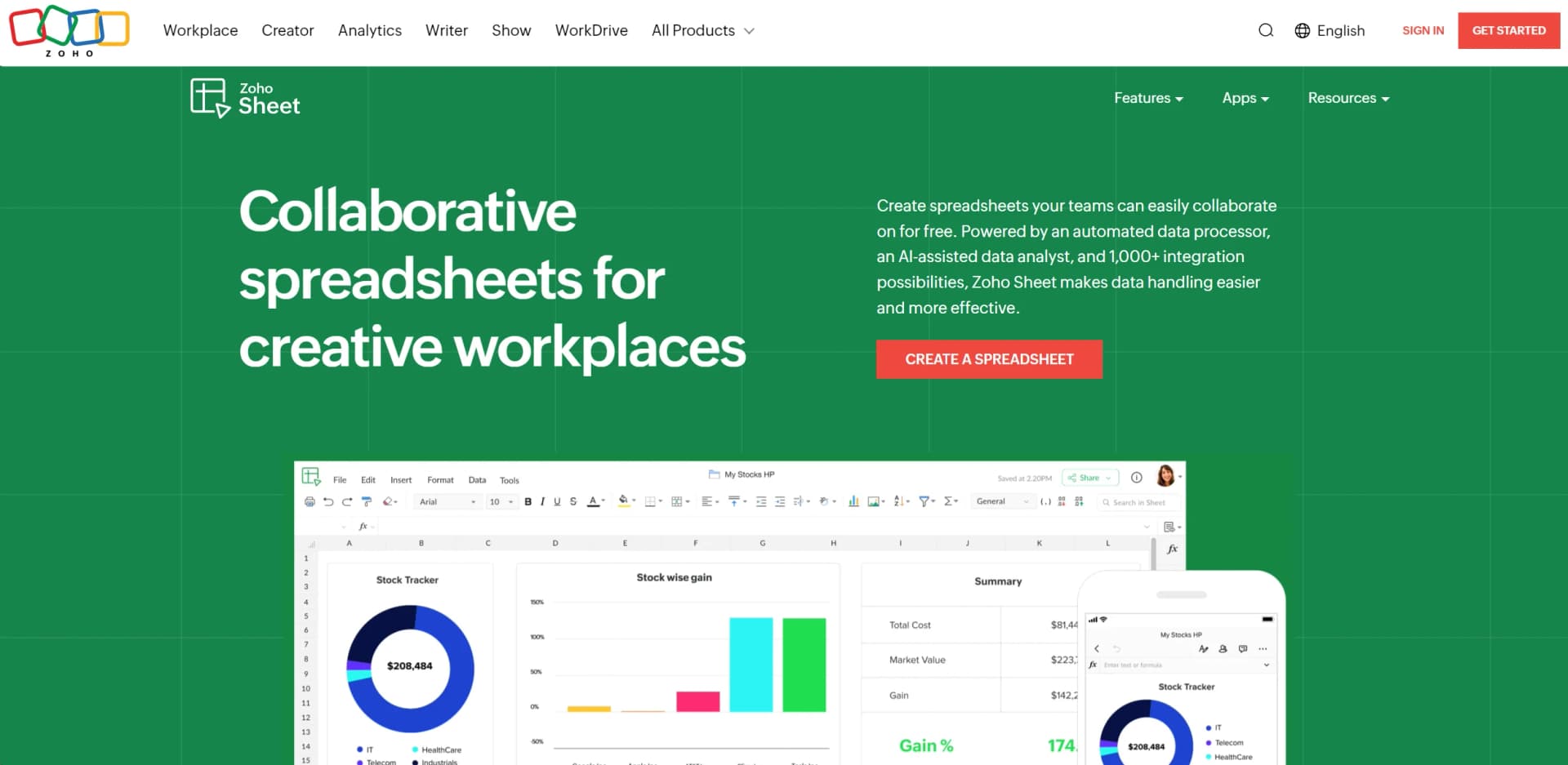
Zoho Sheet
Create, analyze, and collaborate on spreadsheets seamlessly online.
Key Takeaways
- What it is
- Create, analyze, and collaborate on spreadsheets seamlessly online.
- Pricing
- Freemium
- Best for
- Automated Data Processor
- AI-Assisted Data Analyst
- Comprehensive Integration Capabilities
- Rating
- 4.7/5
What is Zoho Sheet?
Zoho Sheet is a robust online spreadsheet application designed for creating, editing, and collaborating on spreadsheets in real time. With its seamless integration, extensive compatibility, and powerful AI-driven features, Zoho Sheet stands out as a versatile tool catering to a diverse range of needs—from simple data entry to complex numerical analysis.
Zoho Sheet stands out with its AI-powered assistant, Zia, enhancing data processing and analysis. Excellent Excel compatibility and the ability to build interactive applications within the spreadsheet further distinguish it from traditional tools.
Zoho Sheet offers a versatile, powerful tool for dynamic data management needs. Its integration capabilities, innovative AI features, and real-time collaboration tools make it indispensable for businesses and individuals. Whether you’re analyzing data or managing projects, Zoho Sheet provides a compelling, cost-effective solution.
Who is Using Zoho Sheet?
Financial Analysts
For complex financial forecasting and budgeting.
Project Managers
Tracking project timelines and resource allocation.
Educational Institutions
Managing administrative data and classroom activities.
Healthcare Professionals
Handling patient data and scheduling.
Uncommon Use Cases
Non-profits for grant tracking, event planners for guest lists and logistics.
Key Features
Rating Breakdown
Pricing Plans
Free
Free
- Use Zoho Sheet with robust features at no cost
Which Zoho Sheet plan should you pick?
Start with the free plan for general spreadsheet work, then upgrade when you need higher data-connection limits, more frequent refreshes, or bundled Zoho paid-plan access.
Free plan
Good for individuals and teams who need core spreadsheet creation, file import, collaboration, analysis, and limited data connections.
Paid plan
Good for users who need more data connections, more data links per spreadsheet, hourly refresh schedules, and shorter refresh intervals.
Zoho Sheet Use Cases
Budget and financial reporting
Import financial data, calculate results with formulas, clean inconsistencies, and summarize information with pivot tables.
Outcome: More structured financial analysis and reporting.
Inventory tracking
Use inventory templates, manage product data, identify duplicates, and analyze stock information.
Outcome: A centralized spreadsheet for inventory management.
Invoice and expense tracking
Create invoice or expense spreadsheets and automatically add rows from connected services such as Zoho Books or QuickBooks.
Outcome: Less manual entry and more consistent records.
Survey and form data collection
Connect Zoho Forms or external applications and bring submitted responses into Zoho Sheet for analysis.
Outcome: A spreadsheet-based workflow for collecting and analyzing responses.
Image-to-spreadsheet data entry
Upload or capture receipts, invoices, printed tables, and screenshots, then review and insert the extracted tabular data.
Outcome: Reduced manual transcription.
Workflow Ideas with Zoho Sheet
Turn form submissions into a reporting sheet
- 1Create a Zoho Forms form for collecting structured responses.
- 2Connect Zoho Forms to Zoho Sheet through Zoho Flow.
- 3Automatically add each new submission as a row and analyze the results with charts or pivots.
Track closed sales deals
- 1Connect Zoho CRM and Zoho Sheet through Zoho Flow.
- 2Trigger the workflow when a deal changes to Closed Won.
- 3Add the deal information as a new row in a reporting spreadsheet.
Convert printed records into an analysis sheet
- 1Open Data from Picture in Zoho Sheet.
- 2Capture or upload a receipt, invoice, screenshot, or printed table.
- 3Review the extracted values and insert them into the spreadsheet for cleaning and analysis.
How Zoho Sheet fits into your stack
Browser
Zoho Sheet is a cloud-based spreadsheet application used in the browser for creating, analyzing, sharing, and publishing spreadsheets.
Desktop / IDE
Downloadable Windows and macOS apps support local spreadsheet work, offline editing, Excel compatibility, and later cloud collaboration.
Automation and APIs
REST APIs provide programmatic spreadsheet access, while Zoho Flow, Zapier, macros, VBA, and custom functions automate data workflows.
Knowledge and files
Zoho Sheet imports and exports Excel, CSV, TSV, ODS, PDF, and other formats, and connects with Google Drive, OneDrive, Box, and Dropbox.
Pros
- +Highly Customizable: Tailor spreadsheets with interactive elements like drop-down menus and check boxes.
- +Cross-Platform Accessibility: Access via web browsers, iOS, and Android apps for productivity on the go.
- +Excel Compatibility: Smooth transition from Excel with no loss of formatting, ideal for Excel users.
- +Advanced Charting and Pivot Tables: Offers nearly 40 chart types and dynamic pivot table builders for visual data analysis.
Cons
- −Learning Curve: New users may require time to familiarize themselves with advanced features.
- −Internet Dependency: Relies on a stable internet connection for uninterrupted access.
- −Feature Overload: Extensive features and integrations can overwhelm basic users.
Limitations & when to consider alternatives
Known limitations
- Offline changes do not auto-sync. Zoho Sheet states that offline changes are not currently synchronized automatically; users must import device files to the cloud.
- iPad offline support is unavailable. The iPad app requires an internet connection, with offline support still under development.
- Desktop apps are beta releases. The Windows and macOS desktop applications are described as beta versions.
- Free data connections have lower limits. The free plan permits 10 data connections across spreadsheets and 10 data links per spreadsheet, with a minimum refresh interval of one day.
- Data connection refreshes are capped. Data links can be refreshed a maximum of 50 times within 24 hours.
Look elsewhere when
- You need automatic offline-to-cloud synchronization.
- You need offline editing on iPad.
- You need model fine-tuning or custom AI training.
- You need programming-code generation.
How to Use Zoho Sheet
- 1
Create or import a spreadsheet
Start a blank workbook or import XLS, XLSX, CSV, or TSV data so you can work with existing records.
- 2
Clean and organize the data
Use data-cleaning tools or Zia to identify duplicates, missing values, inconsistencies, and mixed data types.
- 3
Analyze the dataset
Apply formulas, custom functions, charts, pivot tables, and Zia-generated insights to understand the data.
- 4
Connect external sources
Use Data Connection to bring in data from Zoho applications, supported external apps, URLs, or feeds.
- 5
Collaborate and control access
Share the workbook, assign permissions, comment with collaborators, lock cells, and review version history.
- 6
Automate recurring work
Use Zoho Flow or custom functions to create rows, update records, and move data between Zoho Sheet and connected applications.
Who is Zoho Sheet For?
Basic spreadsheet users
The tool supports everyday tasks such as sorting, filtering, calculations, templates, and data entry.
Power users
Power users can use advanced formulas, custom functions, data connections, charts, pivot tables, and automation.
Financial analysts
Pivot tables, charts, formulas, data cleaning, and templates support financial analysis and reporting.
Salespeople
Sales teams can track data, connect external applications, collaborate on spreadsheets, and build reports.
Marketers
Marketers can analyze datasets, create dashboards and charts, connect applications, and collaborate on campaign-related spreadsheets.
Frequently Asked Questions
Is Zoho Sheet free?
Yes. Zoho Sheet is free across the web, Android, iPhone, iPad, Windows, and macOS apps.
Can Zoho Sheet work offline?
The Windows, macOS, Android, and iPhone apps support offline work. The iPad app currently requires an internet connection.
Can Zoho Sheet import Excel files?
Yes. Zoho Sheet supports Excel files, including XLS and XLSX, as well as CSV and TSV files.
Does Zoho Sheet support real-time collaboration?
Yes. Multiple users can edit spreadsheets simultaneously, leave comments, receive change notifications, and manage access permissions.
What can Zia do in Zoho Sheet?
Zia can answer questions about spreadsheet data, generate formulas, recommend charts and pivot tables, summarize data, and suggest data-cleaning and formatting improvements.
Can Zoho Sheet connect to external applications?
Yes. It supports data connections with Zoho applications and named external services such as Salesforce, QuickBooks, Stripe, Monday, Airtable, Xero, Jira Cloud, and Google Sheets.
Community reviews
Be the first to share your experience.
Sign in to leave a review for Zoho Sheet.
Zoho Sheet Alternatives
Looking for alternatives to Zoho Sheet? Here are similar tools in the same category:
Learn to Master Zoho Sheet
With Skill Leap courses
Get in-depth training on Zoho Sheet and 50+ other AI tools with our expert-led video courses.
Start 7-Day Free Trial