
Google Gemini
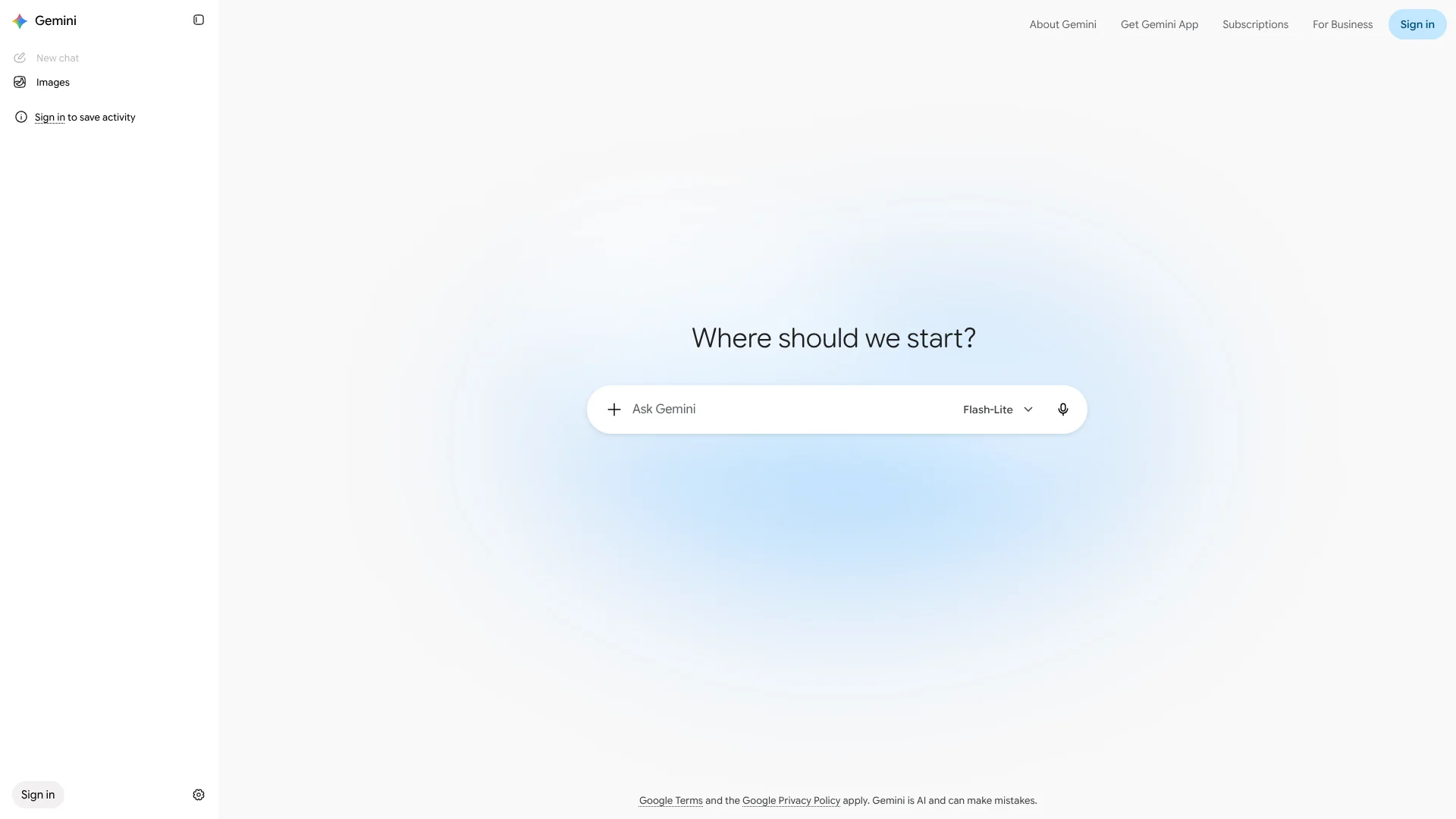
An AI assistant that works directly with your Google apps and files.
Watch Google Gemini in Action
Key Takeaways
- What it is
- An AI assistant that works directly with your Google apps and files.
- Pricing
- $9.99 per month · $19.99 per month · $99.99 per month
- Best for
- Deep Research
- Connected Apps
- Gems
- Rating
- 4.6/5
What is Google Gemini?
Google Gemini brings writing, planning, research, image understanding, and file analysis into a chat that can connect to services such as Gmail, Drive, Calendar, Photos, YouTube, and Search. It helps people turn questions, notes, images, and documents into drafts, summaries, study materials, plans, and answers while staying close to the Google apps they already use.
Deep Research is Gemini's clearest differentiator: it creates a research plan, searches across selected sources such as Google Search, Gmail, Drive, and NotebookLM, then produces a cited report that can be exported to Google Docs.
Gemini is a strong fit for Google users, students, writers, researchers, and people managing information across several Google services. It can still make mistakes, and connected-app access varies by account, region, language, and device, so important facts need review. Its best role is a Google-centered thinking and production layer, not an unquestioned authority.
Who is Using Google Gemini?
Research analysts
Deep Research turns a question into a source-based report with a reviewable research plan.
Teachers
Class notes can become practice quizzes, explanations, study guides, and interactive visuals.
Writers and editors
Drafting, rewriting, summarizing, and feedback happen alongside documents and Gmail content.
Project managers
Connected Workspace data helps locate project information, create tasks, and manage calendar events.
Developers and prototypers
Google AI Studio and the Gemini API support experiments, structured output, tool use, and agent workflows.
Uncommon Use Cases
Create a podcast-style overview from uploaded material; build a custom Gem for gardening, diet, or workout requirements.
Key Features
Rating Breakdown
Pricing Plans
Google AI Plus
$9.99 per month
- 400 GB of storage across Google Photos, Drive, and Gmail
- Gemini app with 2x higher usage limits than without a Google AI plan
- Gemini in Gmail and expanded access to Google Flow and Gemini Notebook
Google AI Pro
$19.99 per month
- 5 TB of storage across Google Photos, Drive, and Gmail
- Gemini app with 4x higher usage limits, Pro model access, and Deep Research
- Gemini in Gmail, Docs, Vids, and more
Google AI Ultra
$99.99 per month
- 5x tier starts at $99.99 per month
- 20x tier is $200 per month
Which Google Gemini plan should you pick?
Start with free Gemini for everyday questions and writing, then choose Google AI Plus for lighter paid access or Google AI Pro for regular research, file work, and Google Workspace use.
Google AI Plus
Good for people who want higher Gemini limits, 400 GB of storage, Gemini in Gmail, and more access to creative and study features.
Google AI Pro
Good for frequent Gemini users who need 5 TB of storage, expanded Deep Research, higher model limits, and Gemini across Gmail, Docs, Vids, and more.
Google Gemini Use Cases
Source-based research
Deep Research creates a plan, examines selected sources, and assembles a report for a complex question.
Outcome: A cited research report that can be exported to Google Docs.
Document and spreadsheet analysis
Uploaded files become searchable material for summaries, comparisons, calculations, and follow-up questions.
Outcome: Faster answers from long or mixed-format files.
Google Workspace productivity
Emails, files, tasks, notes, and calendar details can inform planning and follow-up work.
Outcome: Less manual searching across Google services.
Study preparation
Class notes and reference files can be turned into quizzes, explanations, practice activities, and visual learning aids.
Outcome: A study session tailored to the learner's own materials.
Rapid prototyping
A prompt can become a webpage, game, dashboard, formatted document, or spreadsheet.
Outcome: A working first version to inspect and improve.
Workflow Ideas with Google Gemini
Research to brief
- 1Open Deep Research and define the question
- 2Select Google Search, Gmail, Drive, or NotebookLM as sources
- 3Review the plan, open the report, and export it to Google Docs
Inbox to calendar
- 1Ask Gemini to find an event in Gmail
- 2Check the extracted date, time, and details
- 3Create or update the event in Google Calendar
Notes to study session
- 1Upload class notes or connect Drive
- 2Request a summary and practice quiz
- 3Use follow-up questions to review weak areas
How Google Gemini fits into your stack
Google Workspace
Gemini can search and work with Gmail, Drive, Calendar, Tasks, Keep, Docs, Sheets, and other Workspace content when connected.
Research and knowledge
Deep Research uses Google Search and can also work with Gmail, Drive, uploaded files, and NotebookLM notebooks as sources.
Files and media
The web and mobile apps accept documents, spreadsheets, photos, videos, notebooks, code, and other supported file types.
Mobile and desktop
Gemini is available through the web app, Android and iOS apps, and a Mac app. Mobile input includes voice, photos, and camera use.
Developer stack
Google AI Studio provides a visual place to test prompts, while the Gemini API supports REST, SDKs, streaming, multimodal input, and agents.
Pros
- +Google context: Gmail, Drive, Calendar, Photos, YouTube, and Search can inform answers when connected.
- +Deep Research: Produces a source-based report instead of stopping at a short chat response.
- +Multimodal input: Handles text, images, documents, spreadsheets, photos, videos, and code.
- +Mobile reach: Native Android and iOS apps support text, voice, photos, and camera input.
- +Developer path: The Gemini API supports REST, SDKs, streaming, multimodal input, and agents.
Cons
- −Accuracy risk: Gemini can give incorrect or outdated answers that need checking.
- −Feature variation: Access changes by plan, account type, country, language, device, and rollout status.
- −Google dependence: Its strongest workflows make the most sense inside Google's ecosystem.
Limitations & when to consider alternatives
Known limitations
- Responses can be wrong. Google says Gemini Apps can make mistakes, so users should double-check answers and avoid relying on them for professional advice.
- Connected-app limits. The Google Workspace connection cannot access comments or images in Docs or Gmail, pictures and videos in Drive, or manage Drive folders.
- Availability varies. Connected Apps, Personal Intelligence, mobile features, and model access depend on location, language, account type, device, and rollout status.
Look elsewhere when
- You need guaranteed factual accuracy without human review.
- You need a shared workspace with built-in roles, invites, and team editing.
- Your work does not use Google services and you want a provider-neutral workflow.
- You need a dedicated browser extension rather than Gemini's web and app experiences.
How to Use Google Gemini
- 1
Start with a specific goal
State the desired result, audience, format, and any limits so Gemini has a clear target.
- 2
Add the right context
Attach a file, image, or code sample, or mention a connected Google service such as Gmail, Drive, or Calendar.
- 3
Choose a focused tool
Select Deep Research for source gathering, Canvas for an editable artifact, or a Gem for a repeatable instruction set.
- 4
Review the response
Check citations, calculations, dates, and source details because Gemini can produce incorrect or outdated information.
- 5
Export or act
Send the result to Google Docs or Drive, create a task or calendar event, or continue refining it in the chat.
Who is Google Gemini For?
Google users
People who keep work, schedules, files, photos, and personal information across Google services.
Students and educators
Learners and teachers can turn notes into quizzes, explanations, study plans, and interactive materials.
Researchers
People doing background research can use Deep Research to gather sources and produce structured reports.
Writers and creators
Writers can draft, revise, analyze images, generate visuals, and develop ideas in the same workspace.
Developers
Builders can prototype with Google AI Studio and call Gemini models through the Gemini API.
Frequently Asked Questions
Is Google Gemini free?
Yes. Gemini offers free access with usage limits. Google AI Plus, Google AI Pro, and Google AI Ultra add higher limits and extra features.
What does Google AI Pro include?
Google AI Pro includes 5 TB of storage, expanded access to Gemini models and Deep Research, Gemini in Gmail, Docs, Vids, and more, plus expanded access to Gemini Notebook and other Google AI features.
Can Gemini read my Google Drive and Gmail?
Yes, when the Google Workspace app is connected and the account meets the requirements. Gemini can find and summarize information, create tasks, and manage eligible calendar events.
Can Gemini analyze uploaded files?
Yes. Gemini can analyze documents, spreadsheets, notebooks, photos, videos, code, and other supported file types.
Does Gemini have a mobile app?
Yes. Google provides Gemini apps for Android and iOS. Android users can also use Gemini as a mobile assistant in supported languages and locations.
Can developers build with Gemini?
Yes. The Gemini API provides REST endpoints, SDKs, streaming, multimodal understanding, file handling, function calling, and agent features.
Products in the Google Gemini family


Community reviews
2 reviews from people who use Google Gemini.
Sign in to leave a review for Google Gemini.
Vivek Varma
Markos Symeonides
Google Gemini Alternatives
Looking for alternatives to Google Gemini? Here are similar tools in the same category:
Learn to Master Google Gemini
With Skill Leap courses
Get in-depth training on Google Gemini and 50+ other AI tools with our expert-led video courses.
Start 7-Day Free Trial